65Plan.org is built around what your team does: Medicare for people turning 65, and building wealth early for people who want to retire on their own terms and give their kids a head start. Two landing pages, two free calculators that give a stranger a personal number in five questions, a membership that is free to join, 8 courses, 19 tools, badges, a community where your advisors are the experts, a live room for your sessions, and a back office where every lead, call request and message lands. Every part of it has a picture below, and every picture has a button that opens the real page. The preview address below is live right now; 65plan.org replaces it the moment the domain is pointed at the site, and nothing you or your members do in the meantime is lost.
Live now the preview address this guide is open onFinal home 65plan.org, once the domain is pointed at the siteBuilt for Tracey Twarog and the advisors of TKT Enterprises IncPrepared September 2026, by Launch Automation
The public site gives a visitor two doors in: one for Medicare, one for building wealth early. They run their own number, see what it becomes, and join for free, and every join lands in your back office with that plan already attached. The membership area gives them a reason to come back between calls: a dashboard and their saved plan, eight courses with a quiz and a certificate each, 19 tools, a community, private messages, badges and levels, and a live room where your sessions play. The back office is where you and your team do the follow up, one place for every lead, whichever door they came through.
By the numbers
Every figure below was counted in the finished build, not estimated.
Calculators
0
The Medicare Clarity Check and the Retire-Early Number, one back office behind both
Courses
0
Five lessons each, a quiz, and a printable certificate
Lessons
0
Written in plain language for a phone screen
Quiz questions
0
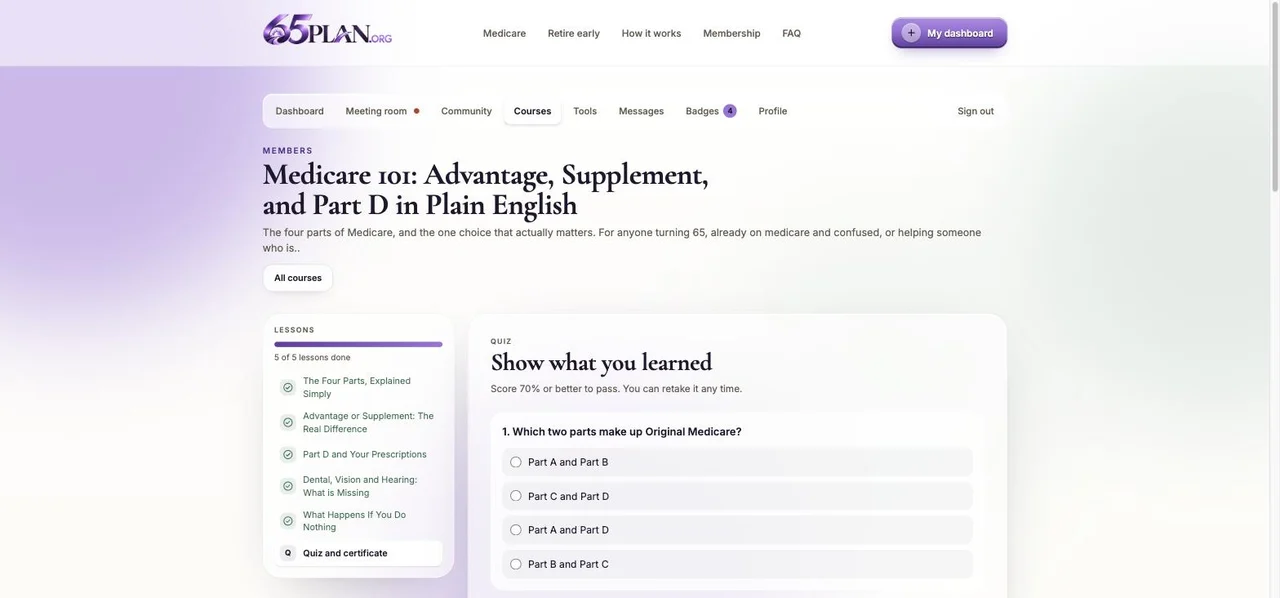
Seventy percent earns the certificate and the points
Tools
0
Seven Medicare, eight wealth, four shared, saved per member
Badges
0
Each one unlocks with a celebration on screen
Levels
0
Starter to Legacy, driven by points
FAQ answers
0
Marked up so search engines and AI assistants can quote them
The Medicare Clarity Check scores coverage gaps out of 100. The Retire-Early Number projects a monthly amount against a taxable account. One question at a time, a reward reveal, and a compliance notice on every result.
Saved plan links
A private page per plan that a visitor texts to a spouse or an adult child, so the next person arrives already looking at a number rather than a sales page.
Free membership
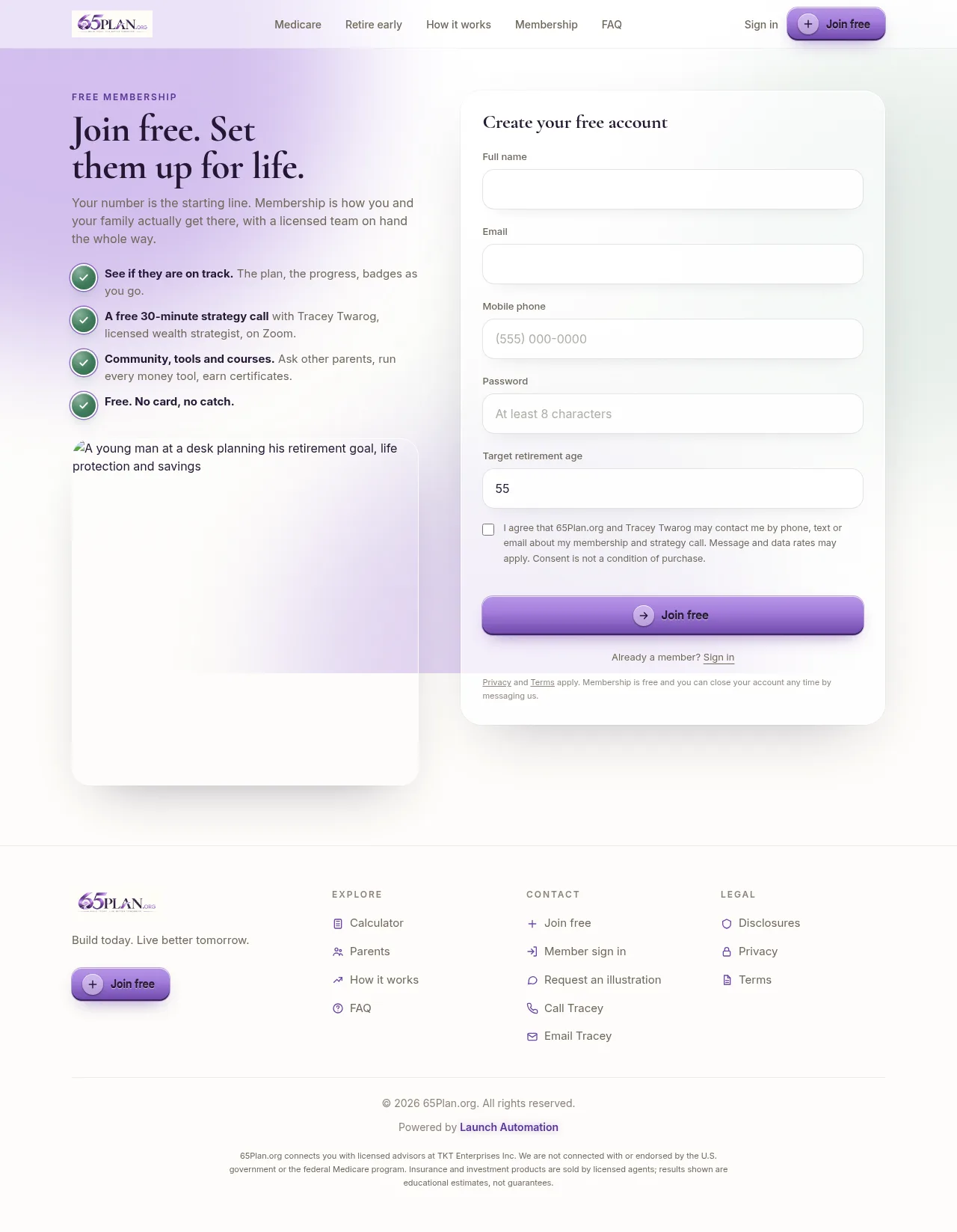
Accounts, sign in, encrypted passwords, a welcome message from you, and the plan attached from the first second.
Dashboard and progress ring
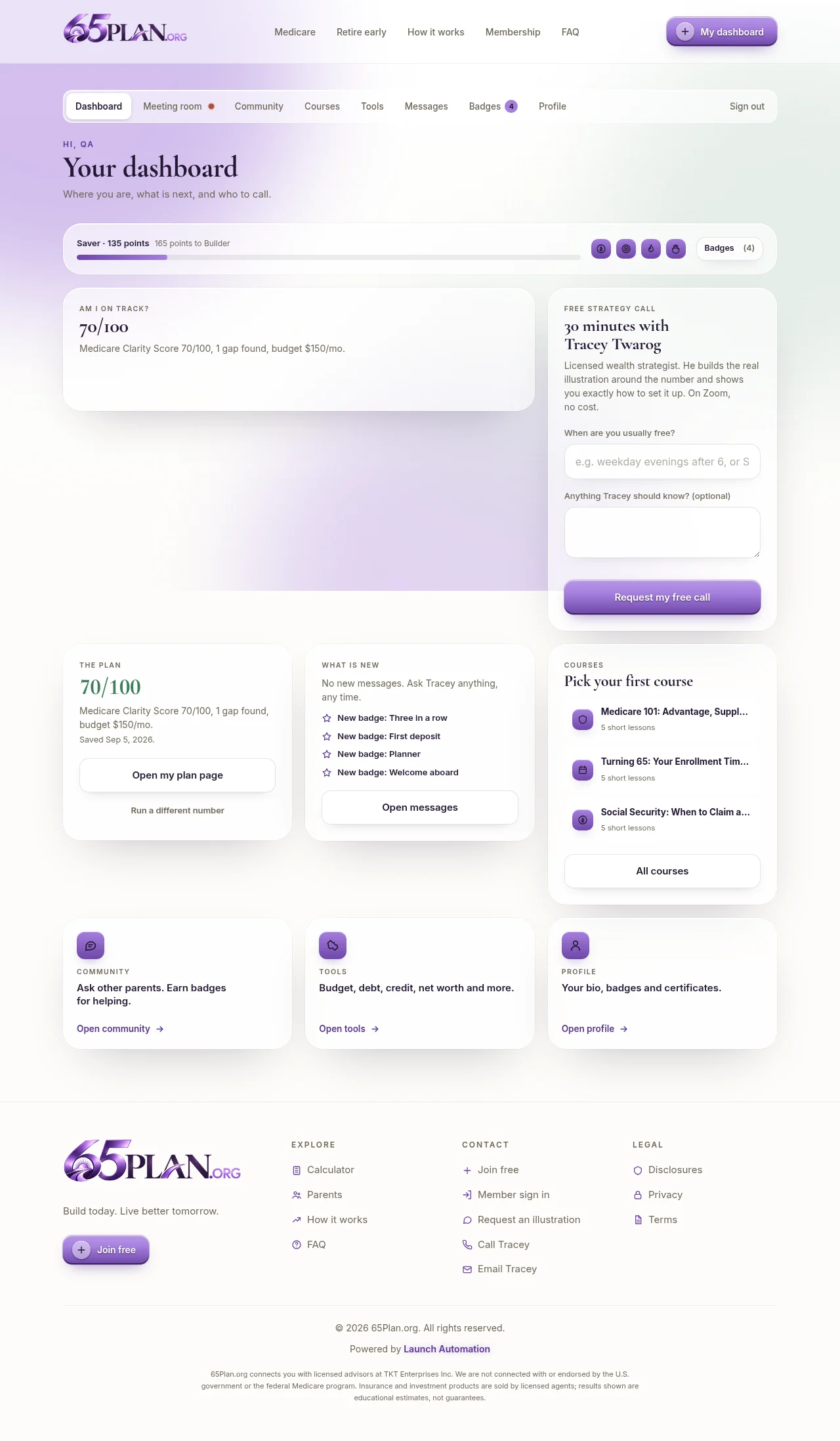
Both saved plans side by side: the retire-early ring that fills as months are logged, and the Medicare snapshot with its gaps. A ten second button to log the month.
Courses and certificates
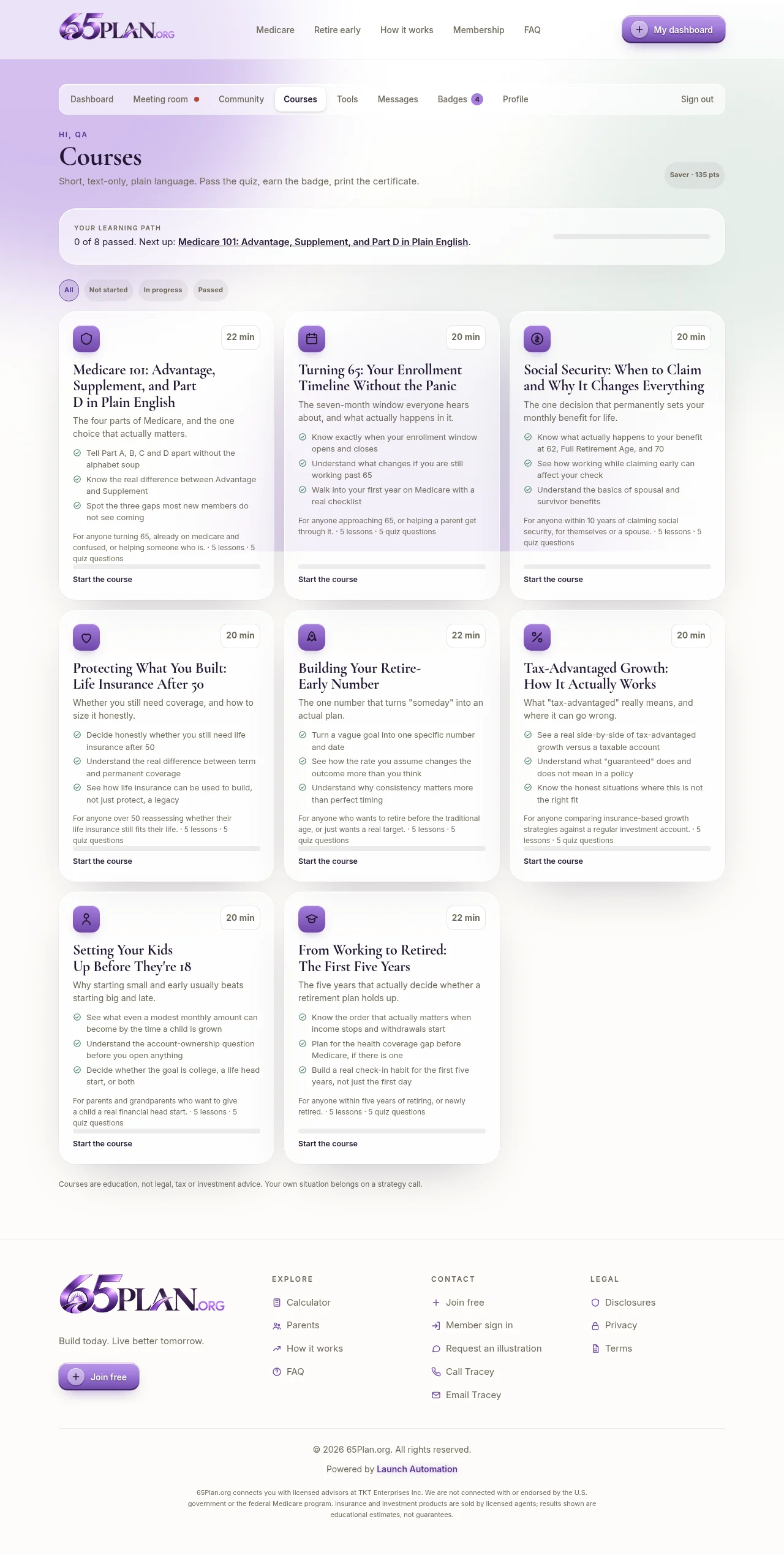
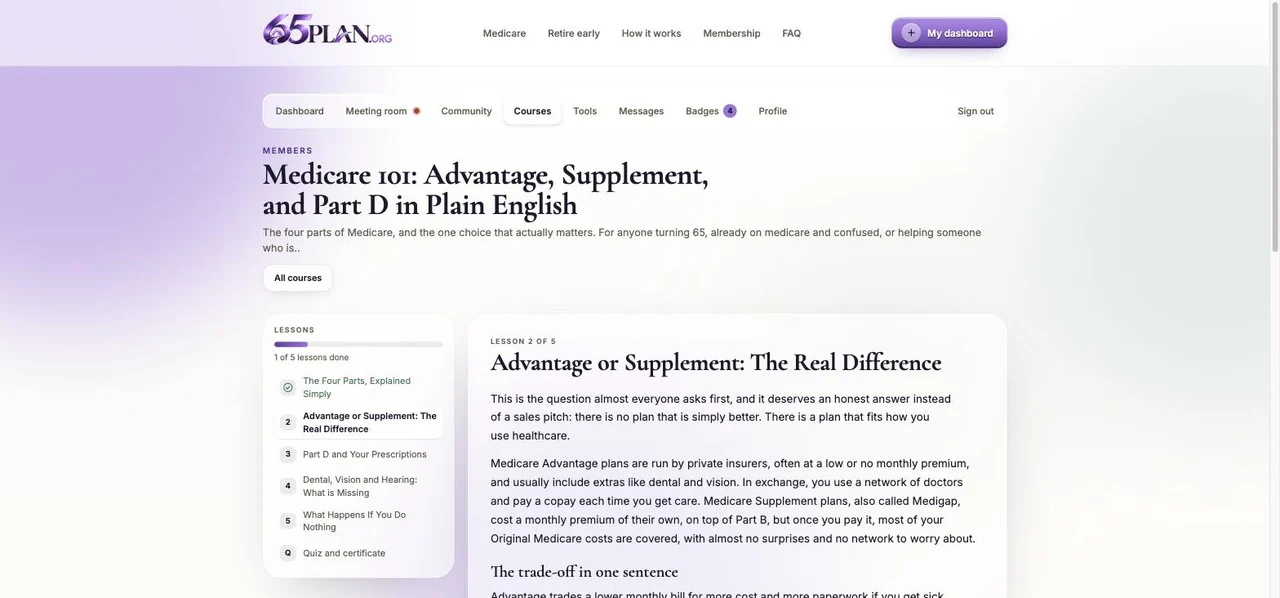
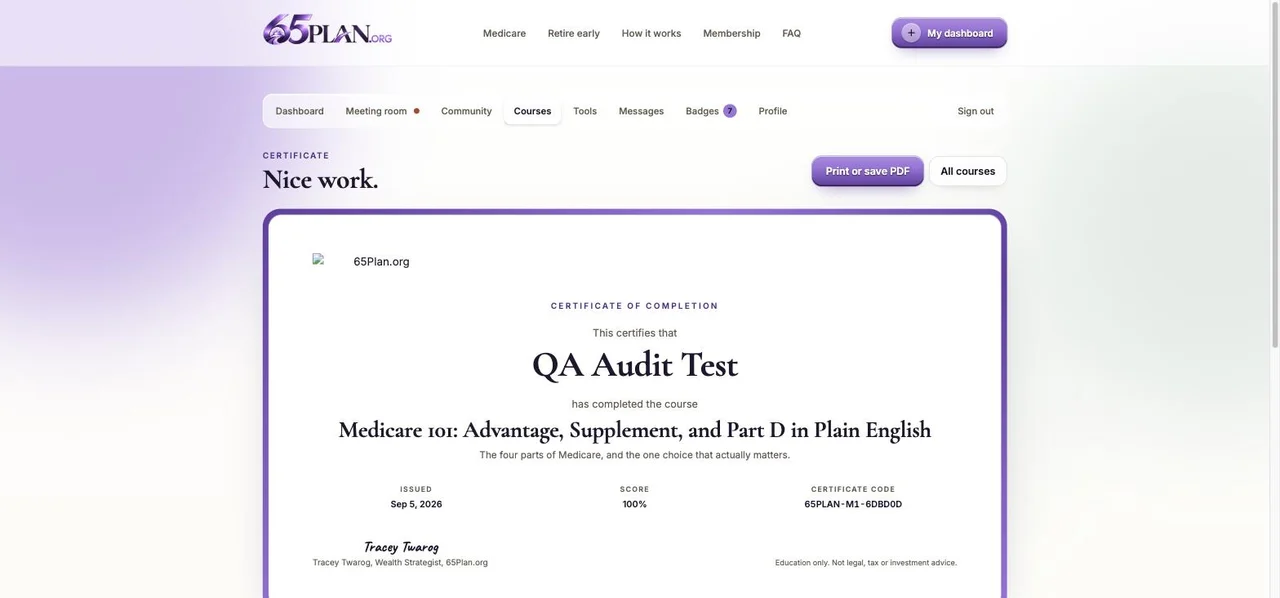
Eight courses, 40 lessons, 40 quiz questions, and printable certificates with a code anyone can check. Medicare 101 through From Working to Retired.
Nineteen tools
Coverage gaps, Advantage against Supplement, Part D cost, the enrollment countdown, the retire-early calculator, compound growth, Social Security claiming age and more, each one saved to the member.
Community
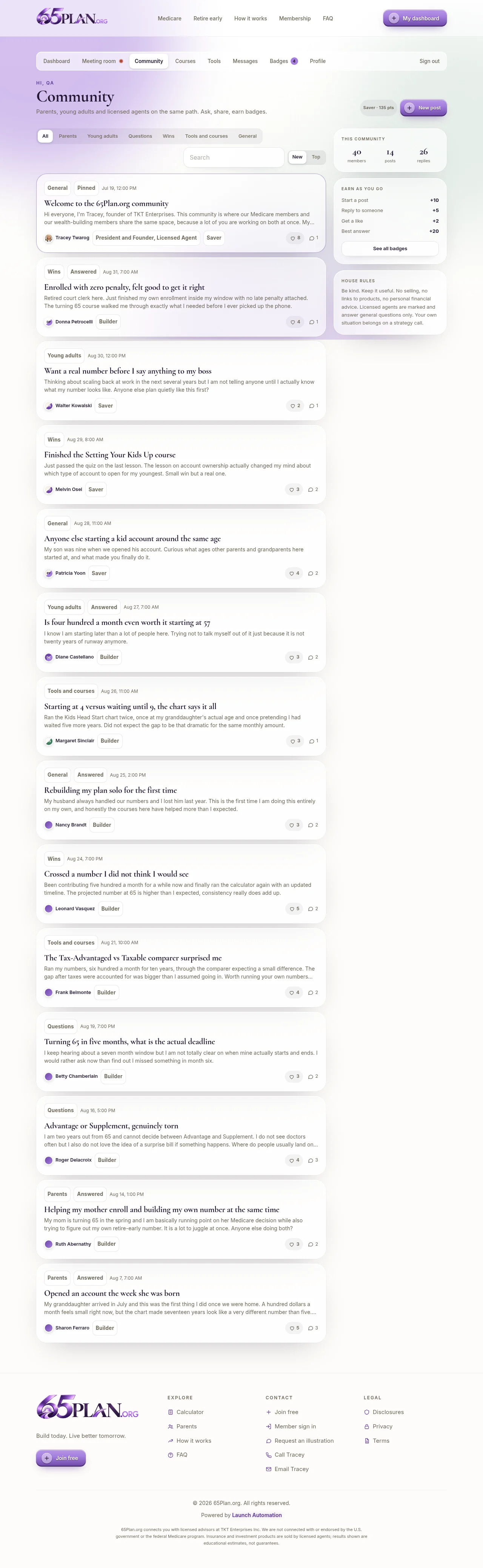
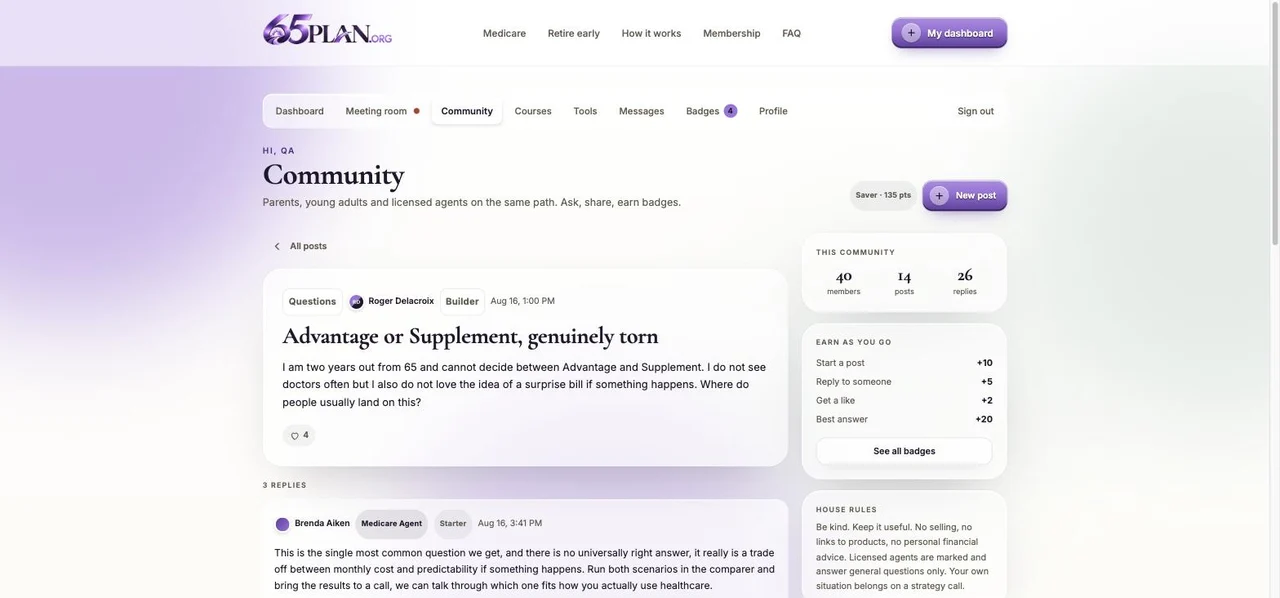
Posts, replies, likes, best answers, pinned announcements and a staff chip so everyone knows who the licensed professional is.
Private messages
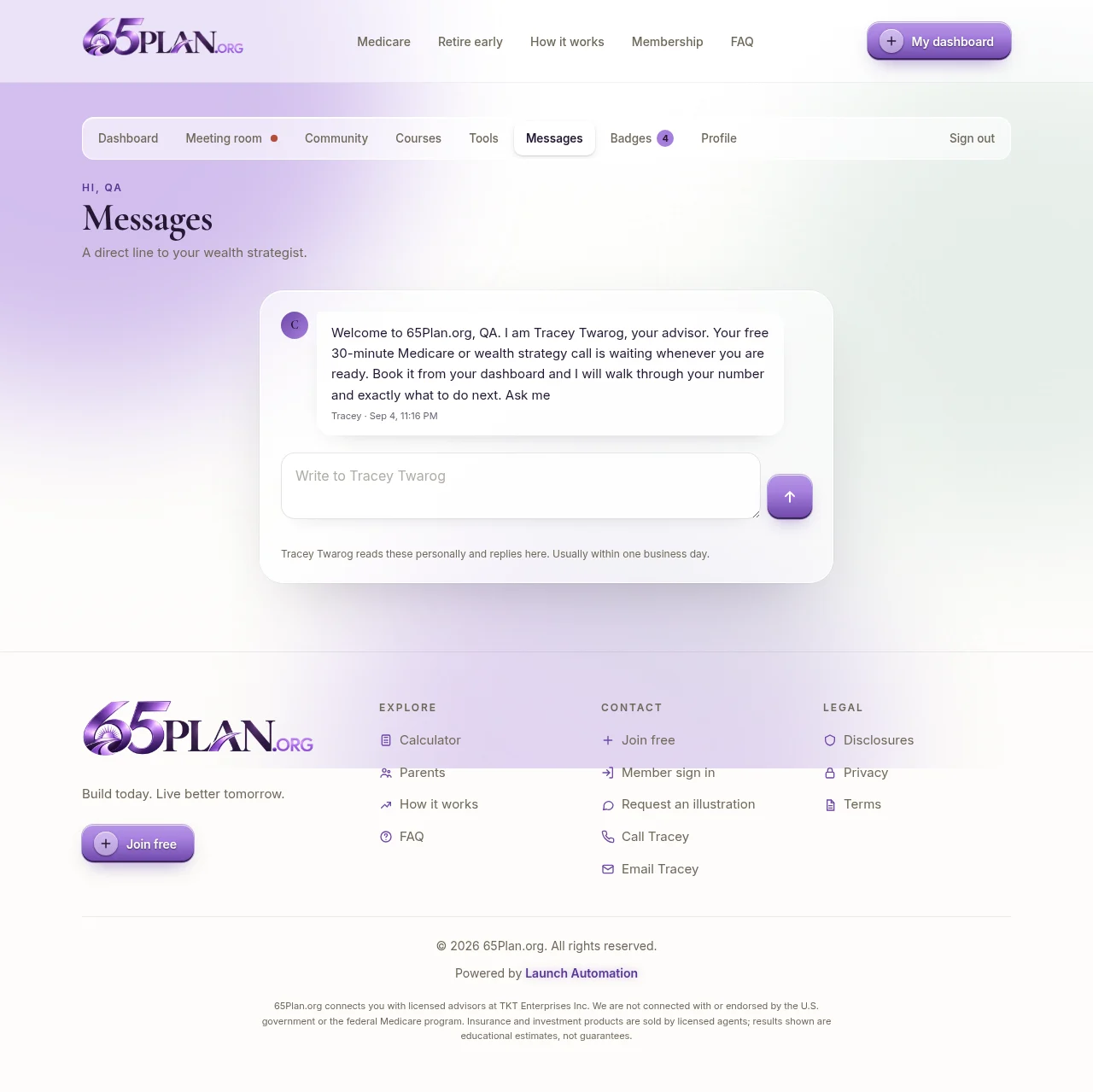
A direct line from every member to you and your team, and back, with unread counts and notifications.
Badges, points and levels
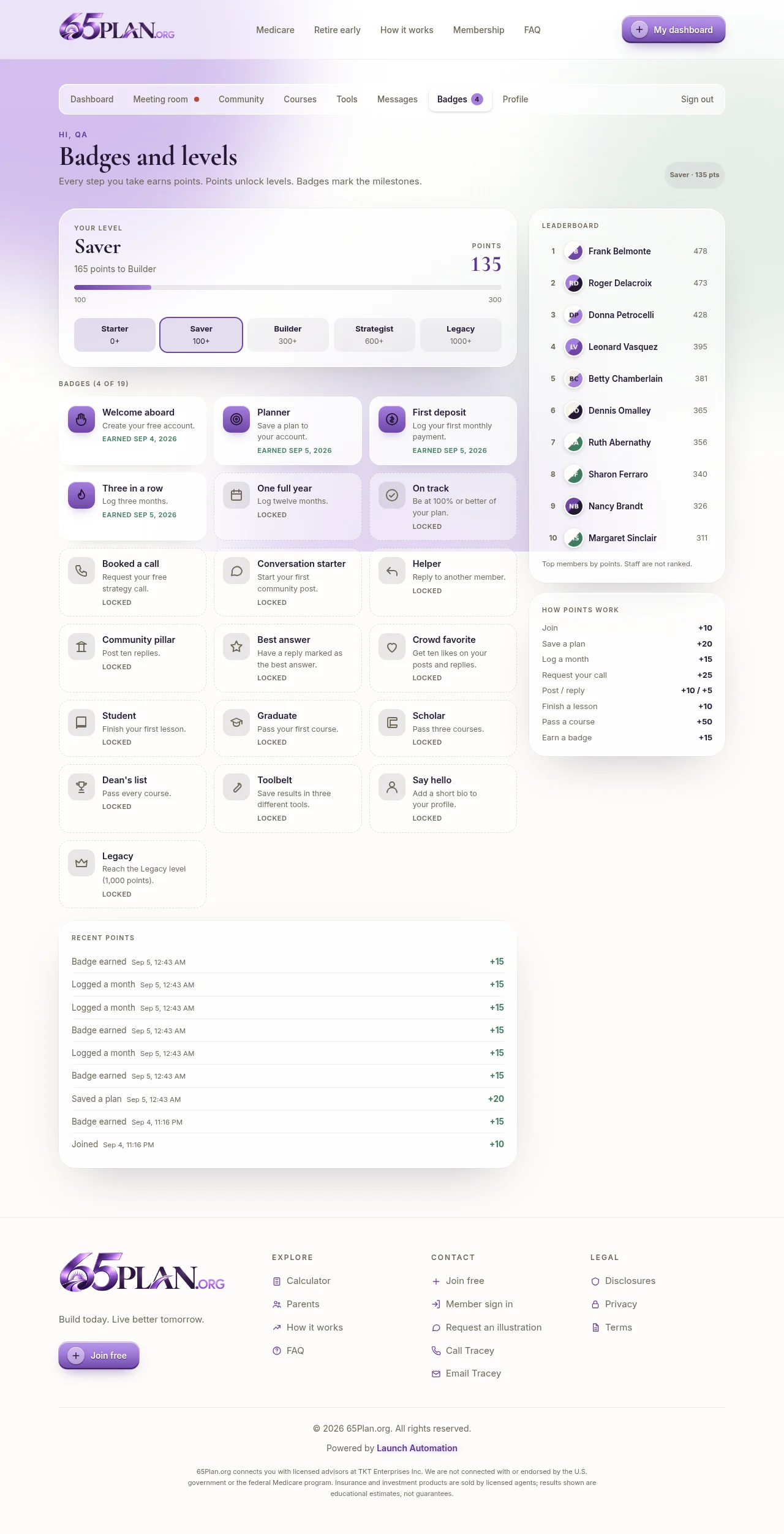
Nineteen badges, five levels, confetti and a level-up overlay. The small wins that bring people back between calls.
Meeting room
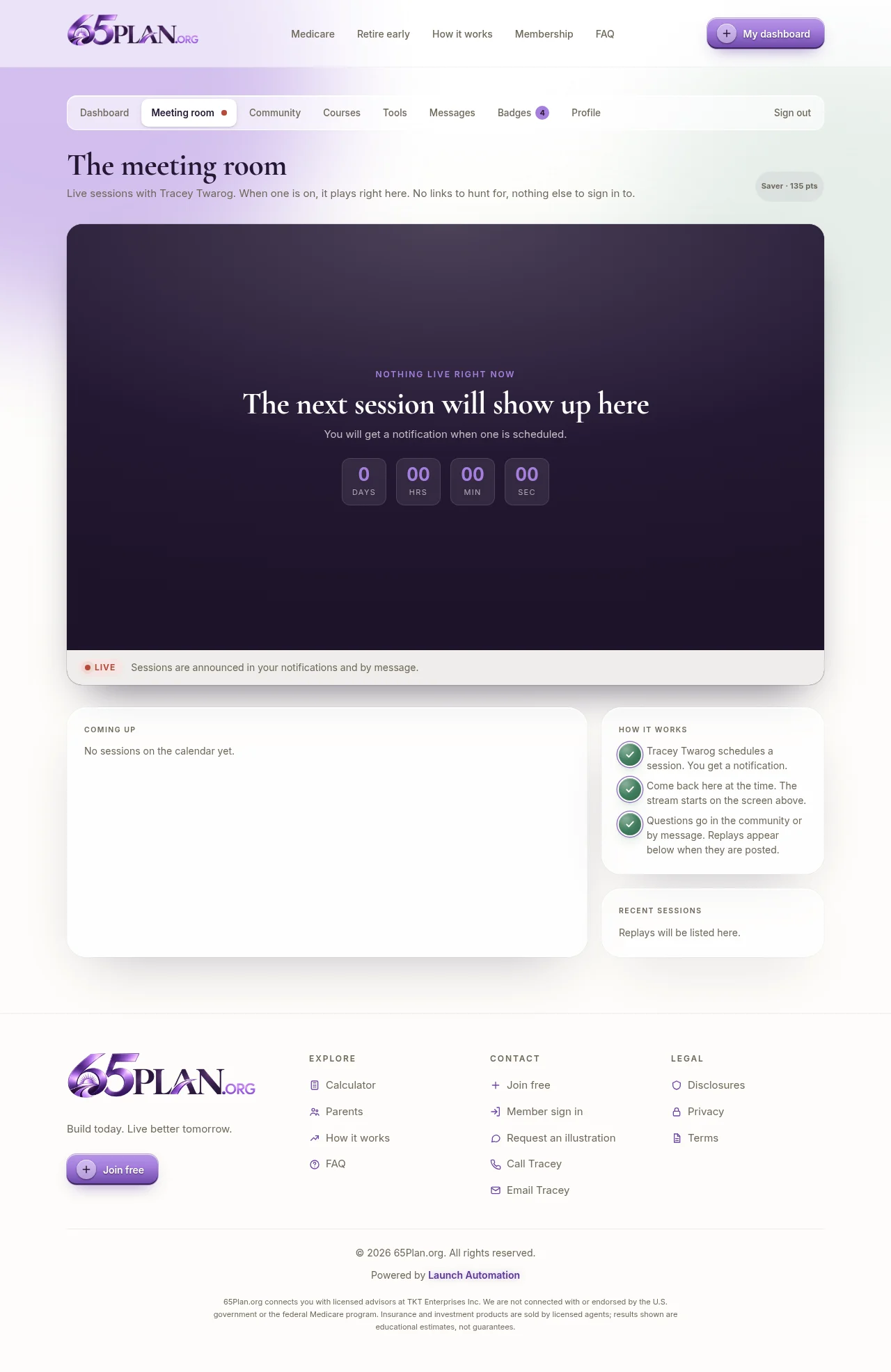
Live sessions on a wide screen inside the membership, with a countdown, a go-live switch, a red live dot on every page and replays afterwards.
Back office
Leads with plans attached, statuses, calls, broadcast, filtered messaging, moderation, exports and settings, for you and any agents you add.
Settings
Your details, your meeting link and a calendar embed. GoHighLevel is connected on the server by Launch Automation, so there is nothing to paste.
Search and AI visibility
Lighthouse 100 for SEO and accessibility on every indexable page, structured data, 47 answers written the way people ask an assistant, sitemap and llms.txt.
Security and hosting
Edge hosting worldwide, encrypted sessions, ten rate limits, same-origin checks on every write, automatic deploys and a backed up database.
Compliance language
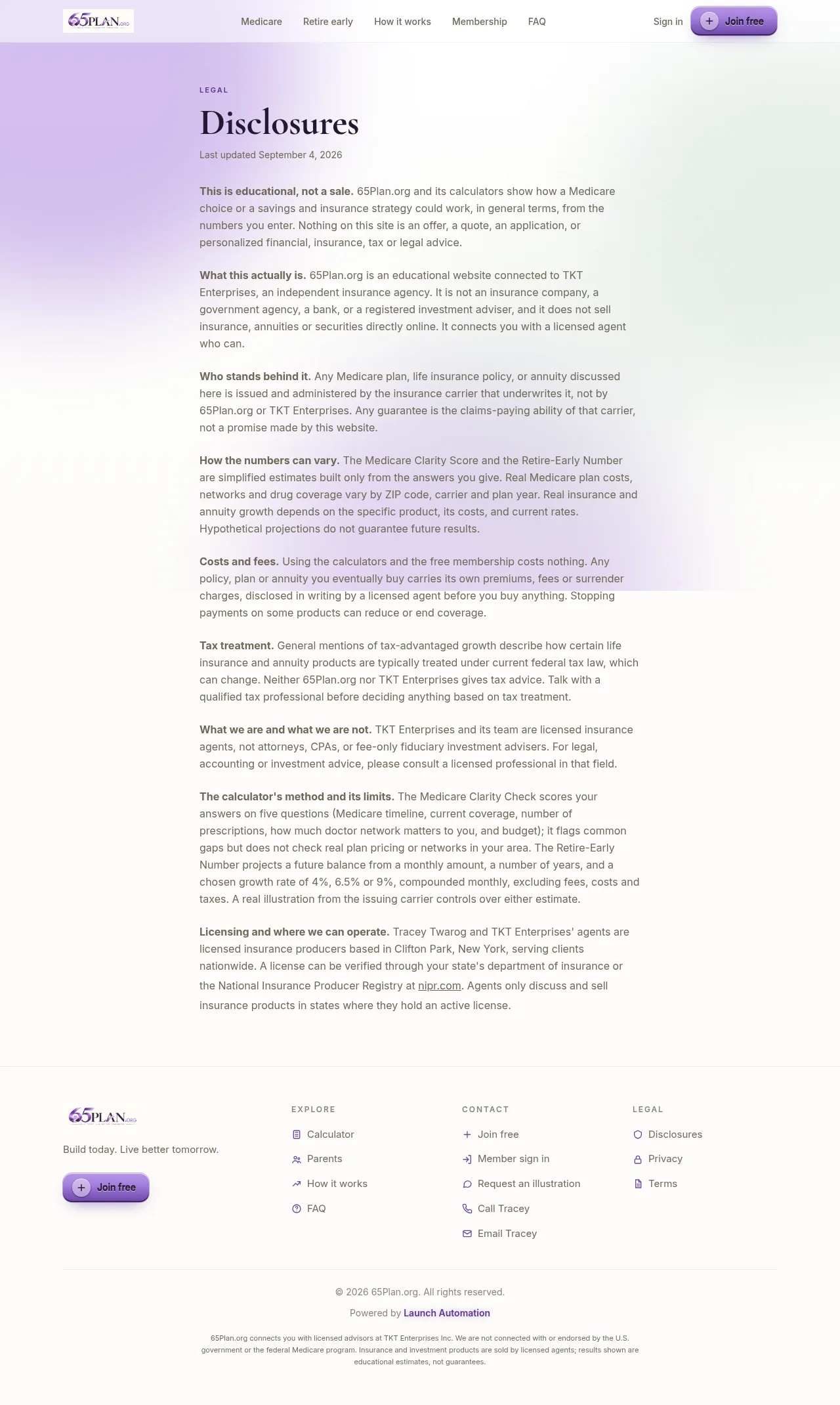
The federal Medicare marketing disclaimer on the Medicare side, the hypothetical and not-guaranteed notice with a conservative case on the wealth side, and a disclosures page linked inline.
The big picture
The strategy, in one picture
Tracey, this is not a brochure site. It is a lead engine built around the two things your team does: Medicare for people turning 65, and building wealth early for people who want to retire on their own terms and set their kids up. Every page has one job: turn a stranger into a free member, and turn a free member into a booked call with one of your advisors. Here is the whole flow.
1
Get people to the site
Social posts, ads, podcasts, referrals, your email list, your signature, your 19 advisors’ own networks. Every one of them points at a calculator, not a contact form.
2
They run a number
Five questions, no email needed to see the answer. A Medicare Clarity Score with the gaps spelled out, or the monthly amount that reaches their retire-early figure. The number is personal, and it is theirs.
3
They join free
To keep the number they join. The plan saves with it. That signup is a lead with the timeline, the gap and the budget already attached, sitting in your back office.
4
They engage, you become the expert
A ring to fill, 8 courses, 19 tools, badges, a community where your replies carry a staff chip, and a live room where your sessions play. Every visit teaches them the problem in your words.
5
They book the call
The free 30-minute Medicare or wealth strategy call is everywhere: the result screen, the dashboard, the courses, the messages. By the time they book, they already trust you.
6
Client, then referral
Every member can text a saved plan to a spouse, a sibling or an adult child. The plan link carries them straight to the same calculator, and the loop starts again.
Why it converts
The calculator gives value before it asks for anything. People finish it because they want their own number.
The number creates the problem in their head, in plain terms. You do not have to convince anyone that a drug gap costs money or that starting at 45 costs more than starting at 25.
Joining is free. No card, no trial. The friction is one form, and the plan is already filled in.
Why it nurtures
Members come back to log a month, finish a course, earn a badge, watch a session. Each visit is another reminder that the question is still open.
The community makes your team visible. A reply from a licensed advisor, with the staff chip, is worth more than any ad.
You can message one member, a filtered group, or everyone at once, and it lands inside the portal where they already are.
Why it scales
Nothing here needs you to be technical. Post, reply, confirm calls, export. Launch Automation handles everything under the hood.
Add an advisor as an agent and they work the same leads under your brand, with a title of your choosing.
New courses, new tools, a third calculator: the platform grows with you. See where this can go.
Traffic and presence
How to fill it with people
The site does the convincing. Your job is traffic and presence. Here is a complete playbook, from the free daily habits to paid ads, built around your two doors: the Medicare Clarity Check for people turning 65 and the families helping them, and the Retire-Early Number for people building wealth and parents giving a child a head start.
Social media: post the question, not the product
The rule that works
Never lead with insurance. Lead with the question the calculator answers: “Do you know which of the three things Medicare does not cover would hit you first?” or “What does $200 a month become by 65 if you start today?” Then the link.
Every post ends the same way: “Run your number free at 65plan.org. No email needed to see it.”
Show a face. A 30 second phone video of you or one of the advisors saying the question out loud outperforms any graphic. The graphics in your kit are for the days nobody wants to film.
Post the same idea three ways: a video, a graphic, a plain text post. Different people stop for different formats.
A weekly rhythm you can keep
Monday, Medicare. An enrollment fact (the seven month window around a 65th birthday, and the penalty for missing it), a screenshot of the Clarity Check, or a myth (“Medicare covers dental and vision” is false for Original Medicare).
Wednesday, retire early. The $50 a month starting point, the conservative case against the optimistic one, or a screenshot of the number next to a taxable account.
Friday, family. The adult child helping a parent choose a plan, or the parent starting a head start for a kid, both of which the calculators are built for.
Weekend, community. A member win (with permission), a badge someone earned, a question from the community you answered.
Where to post
Facebook is where the 60 to 70 audience and their adult children are. Personal profiles for you and the advisors, the business page, and the local community groups the team is already in.
Instagram and TikTok for the 30 to 45 parents and early retirees. Short vertical video; the kit has vertical sizes.
LinkedIn for CPAs, financial planners, HR people and small business owners who send you referrals.
YouTube Shorts and a few longer walkthroughs of each calculator. Search traffic on YouTube is real and lasts for years.
Nextdoor and local groups wherever an advisor lives. Local, trusted, and almost nobody in insurance uses it well.
Post ideas to steal
Screen record yourself running each calculator. Two videos, evergreen.
“Your Medicare window is seven months long. Most people find out what it was after it closed.” Then the Clarity Check.
“Still working at 65 with employer coverage? You may be able to delay Part B, or you may be paying a penalty. It depends on your employer.”
Advantage against Supplement in 30 seconds, straight from the FAQ that is already on the site.
“$50 a month is where our calculator starts, on purpose.” Then the Retire-Early Number.
The 4, 6.5 and 9 percent growth choices, and why an honest projection shows all three.
“Ask your parents this one question this Thanksgiving.” Link to the Clarity Check.
A badge shout-out: “Three members reached Builder this week.”
Reply to a community question in public, with a screenshot, names hidden.
A day in the life: a call, a certificate, a family that finally has a plan.
One of the 19 advisors, on camera, on the question they get asked most.
Paid ads: one landing page per audience
The two calculator pages were built to be ad destinations. Each has one message, one calculator, its own FAQ and a result screen that leads to the join page. Send each ad to its own page, never to the home page.
Two audiences, two ads. Adults 63 to 66 for “Turning 65 soon”. Adults 40 to 60 for “I am helping a parent”, which is the ad almost nobody else runs.
Hook: “Turning 65? Find your Medicare Clarity Score in five questions. Free, and no email needed to see it.”
Creative: the score screen with its three gaps, or an advisor on camera asking the question.
Compliance first. Medicare marketing has its own rules about how agents advertise. The page already carries the required disclaimer that you are not connected with Medicare; have your compliance contact read every ad before it runs, and never imply the ad comes from the government.
Audience: adults 28 to 50 with interests in retirement planning, family finance and new parenthood; a second ad for grandparents 55 to 70 with the “for my child” angle.
Hook: “$200 a month from 30, or $200 a month from 45. Same money, very different number.”
Creative: the projected balance next to the taxable account, or the growth rate toggle switching between conservative and optimistic.
The result screen already shows the hypothetical notice and the conservative case, so the ad can promise a number without promising a return.
How to run ads without wasting money. Start small, one platform, one landing page, one hook, for two weeks. Facebook and Instagram through Meta Ads Manager is the natural first platform for both audiences. The event you optimize for is a signup at /join, and every signup is visible in your back office the moment it happens, so you can see exactly which ad produced which member. Change one thing at a time: the hook, then the creative, then the audience. Launch Automation can add tracking pixels for Meta and Google to the site whenever you are ready; say the word and send the pixel ids.
Podcasts, shows and stages
Be the guest
Local and regional podcasts about retirement, money, parenting, faith and small business all need guests. Pitch one story, not a resume: “the seven month window almost everyone turning 65 gets wrong, and the free score that shows you where you stand.”
Every appearance ends with the same line: “Run your number free at 65plan.org.” Easy to say, easy to remember, easy to type.
Ask the host to put the link in the show notes and post the clip in your community with a pinned announcement.
Senior centers, church groups, HR benefit fairs, CPA offices at tax time and chamber events are the same pitch in person. Bring a QR code to a calculator page.
Be the host
A monthly “Run your number with me” session in your own meeting room, where an advisor walks one calculator on screen and takes questions. Schedule it, notify every member, post the replay. It is already built.
Before an enrollment window, a Medicare open house in the room. A fresh reason to invite every member and every parent’s adult child.
Record short answers to the questions members ask in the community and post them as videos. The 47 FAQ answers on the site are a ready-made script list.
Growing the community
Get everyone in
Every conversation ends with “join free.” Clients, prospects, friends, the people at church, the parents at the ball field. Membership costs them nothing and it puts them inside your world.
Put the join link in your email signature, your text message template, your Google Business profile, and every social bio, for you and all 19 advisors.
Existing clients should join too. They raise the community’s energy, they earn badges, and they are your first referrals.
Make it feel alive
Post a pinned announcement every week. A question, a win, a reminder, a “this week I am talking about” note. Ten minutes.
Reply to every new member’s first post within a day. The staff chip on your reply is the whole point.
Celebrate badges and levels out loud. Welcome and Planner badges land on signup and saving a plan; Booked a call is earned by doing the thing you want them to do.
Referral loops built in
Every saved plan is a shareable page with a Join button on it. Ask members to text theirs to one person.
Ask every client on the call: “Who else in your family should run this?” Then message them the link from the back office.
Award points by hand for a referral from the member’s card. It shows up on their badges page and in the leaderboard.
Partners who send you people
For the Medicare door
Senior centers, churches, libraries and community pharmacies talk to people turning 65 every week. Give each one a link to /medicare and a two-line script: “Before you pick a plan, run this. Five questions, no email.”
Doctors’ offices, estate attorneys and CPAs see the same people at the same moment. The Clarity Check is educational first and never quotes a premium, so it is easy for them to hand over.
Employers and HR for people working past 65: a free benefit that costs the company nothing.
For the retire-early door
CPAs and tax preparers meet every client once a year with their whole financial picture on the table. Give them /legacy and the 401k question from the FAQ.
Realtors and loan officers meet families at the exact moment they think about the future. Pediatricians, daycares and youth sports for the head start for kids.
Ask Launch Automation for a referral link per partner so the back office shows which partner sent which member.
In the back office
Your growth tools, and how to use them
Everything below lives in the back office at /admin. None of it needs a manual. Here is what each one is for when the goal is more calls on the calendar.
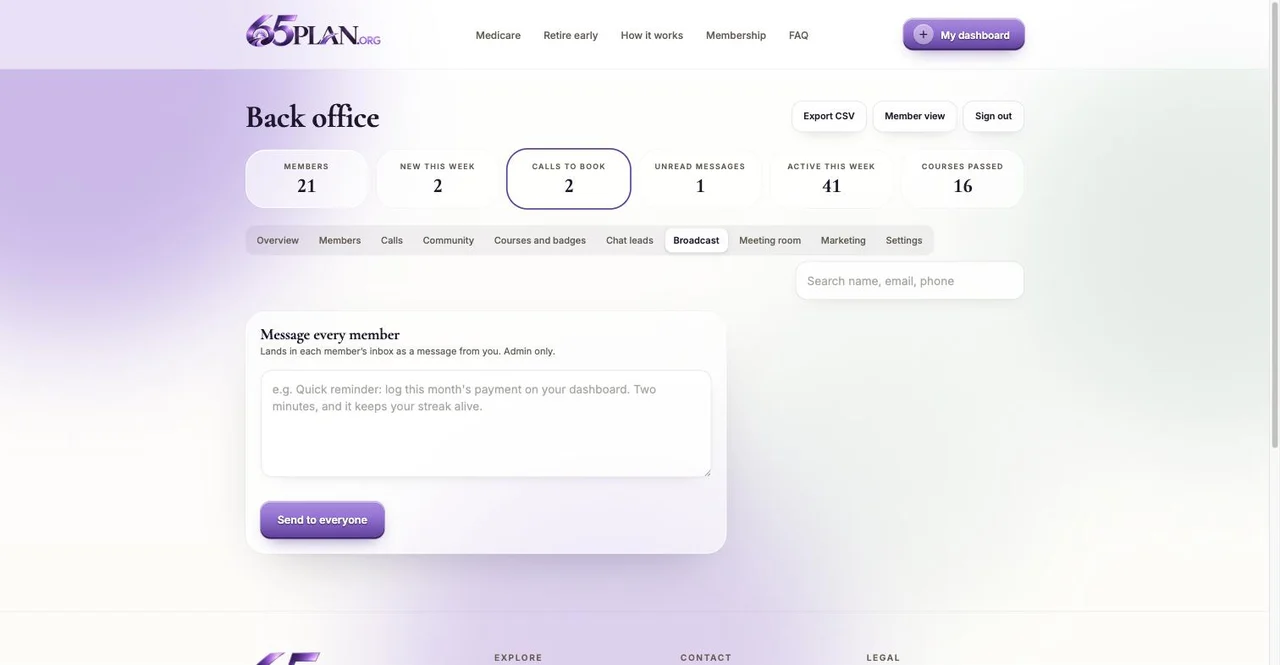
Message everyone at once (Broadcast)
One message to every member, delivered inside their Messages page with a notification. Use it for a monthly “here is what I am seeing” note, a live session invite, a new course, or an enrollment window reminder.
Keep it to four sentences and one ask. “Reply here if you want me to look at your numbers” turns a broadcast into conversations.
Message a group (Members tab)
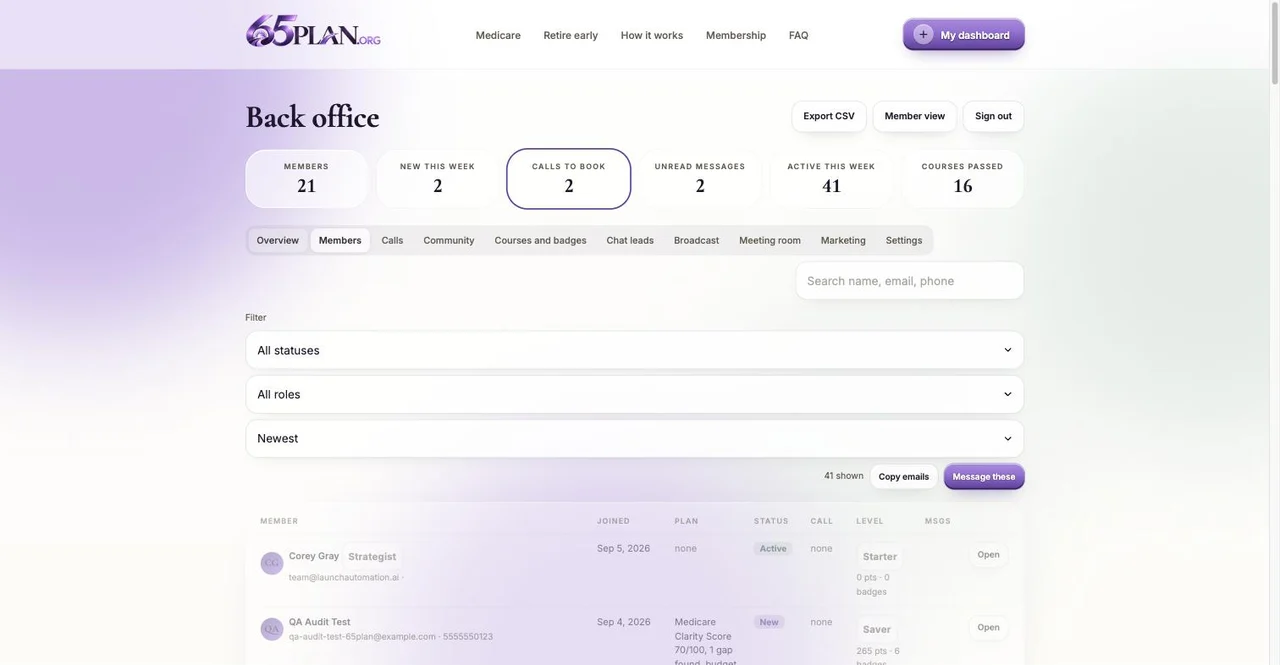
Filter the Members table by status or role, then “Message these.” Everyone marked New. Everyone marked Contacted who has not booked a call yet.
“Copy emails” gives you the same list for your email tool or GoHighLevel.
Message one person (member card)
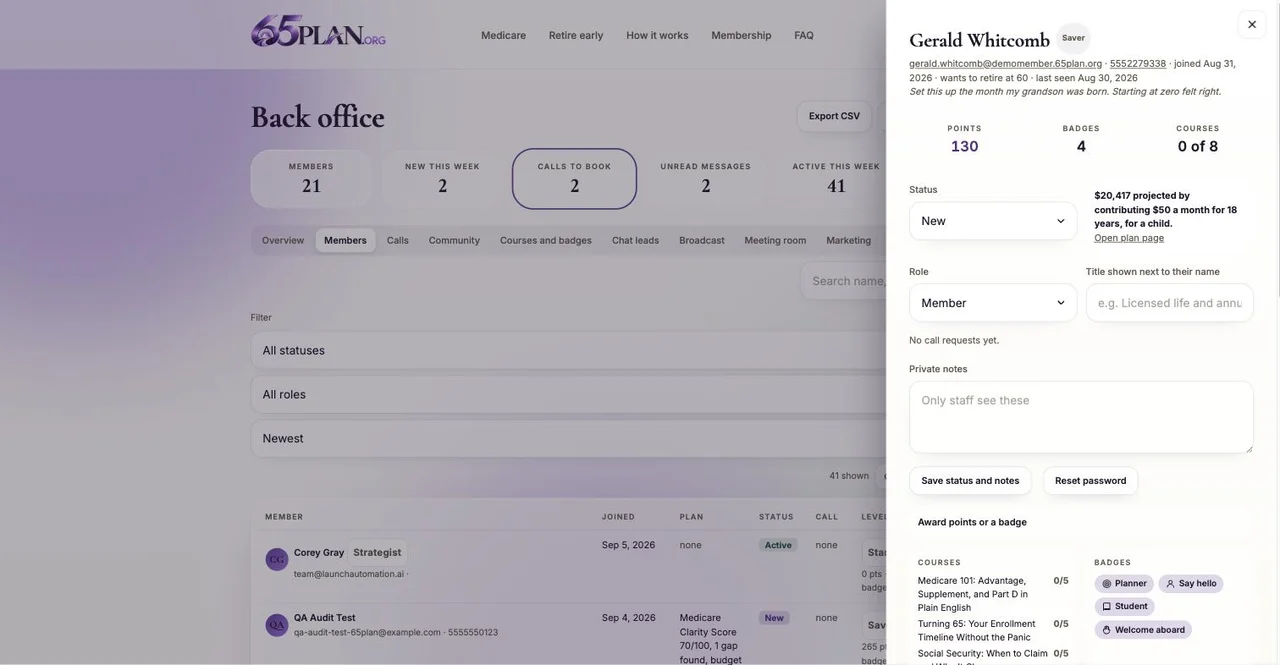
Open any member. Their plans, their gaps, their budget, their courses and their timeline are on the card, so the message can be specific: “Your score flagged drug coverage and you said about $150 a month. Want me to look at that this week?”
Private notes on the card are for you and your agents only.
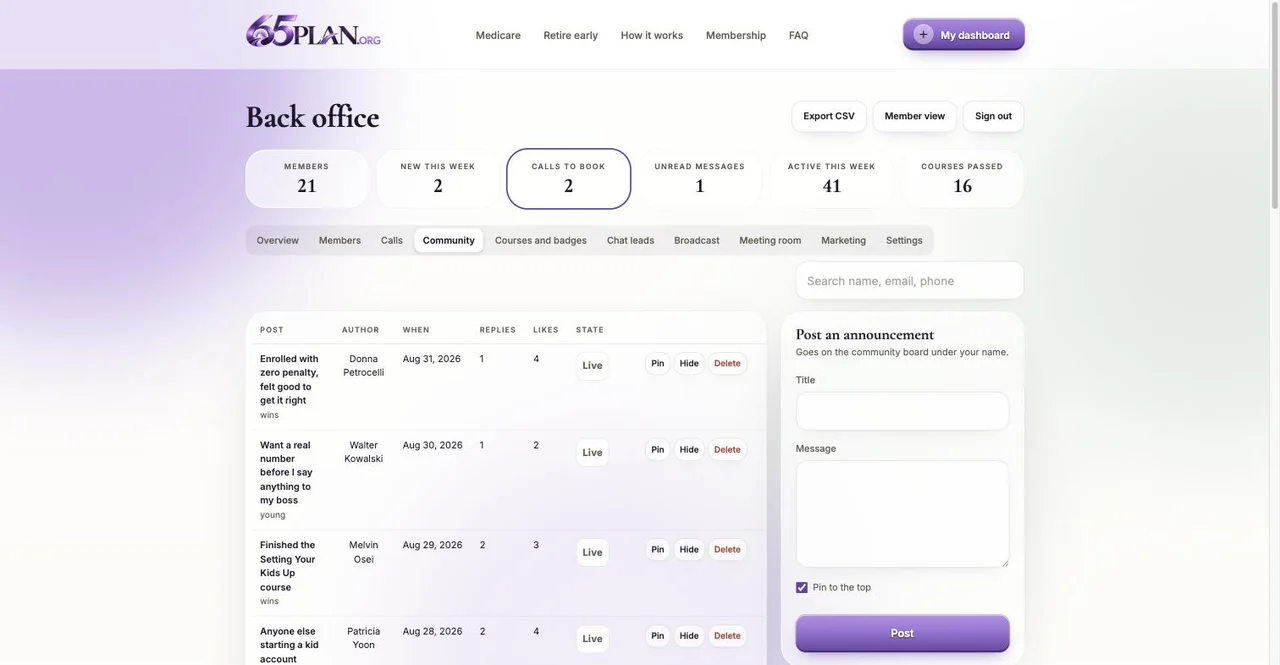
Pinned announcements (Community tab)
A pinned post sits at the top of the community for everyone. Weekly is the right cadence: a question, a challenge (“log your month by Friday”), a live session, a win.
Your replies anywhere in the community carry your title. Answer in public and the whole community learns.
Statuses and the “needs you” list
New, Contacted, Call scheduled, Client, Not now, Blocked. Move every member as you work them and the Overview tab becomes your pipeline.
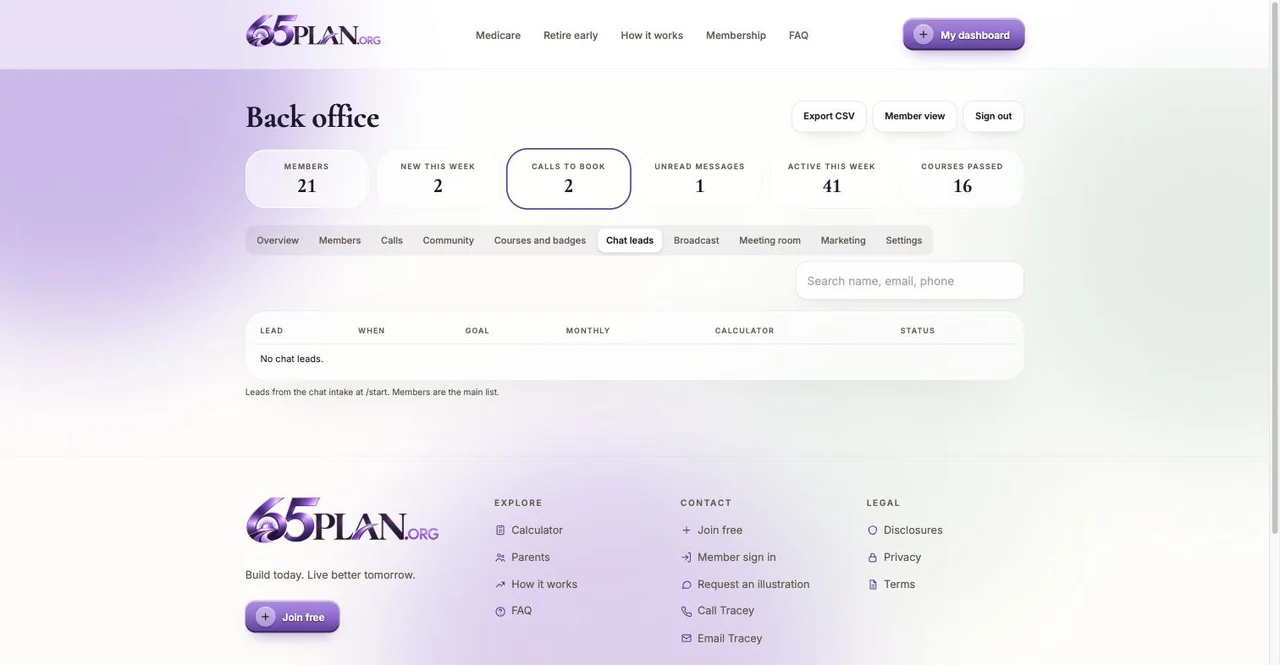
The “needs you” list is your daily to-do: calls waiting, unread messages, new chat leads, members nobody has written to.
Courses, badges and certificates as nurture
Booked a call and On track are badges members earn by doing exactly what you want them to do. Point people at them.
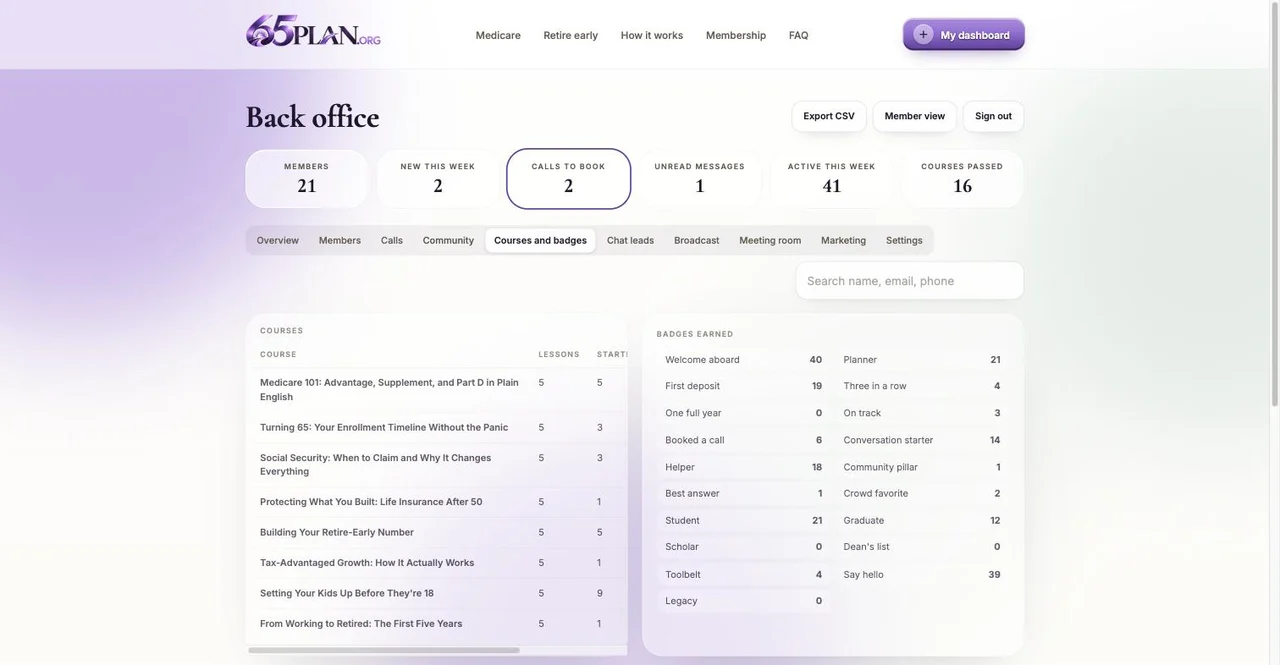
The Courses tab shows who started and who passed. A member who passed Medicare 101 and has not booked is your warmest call of the day.
Certificates carry your name and a code anyone can check. Members share them, which is free marketing.
Calls tab
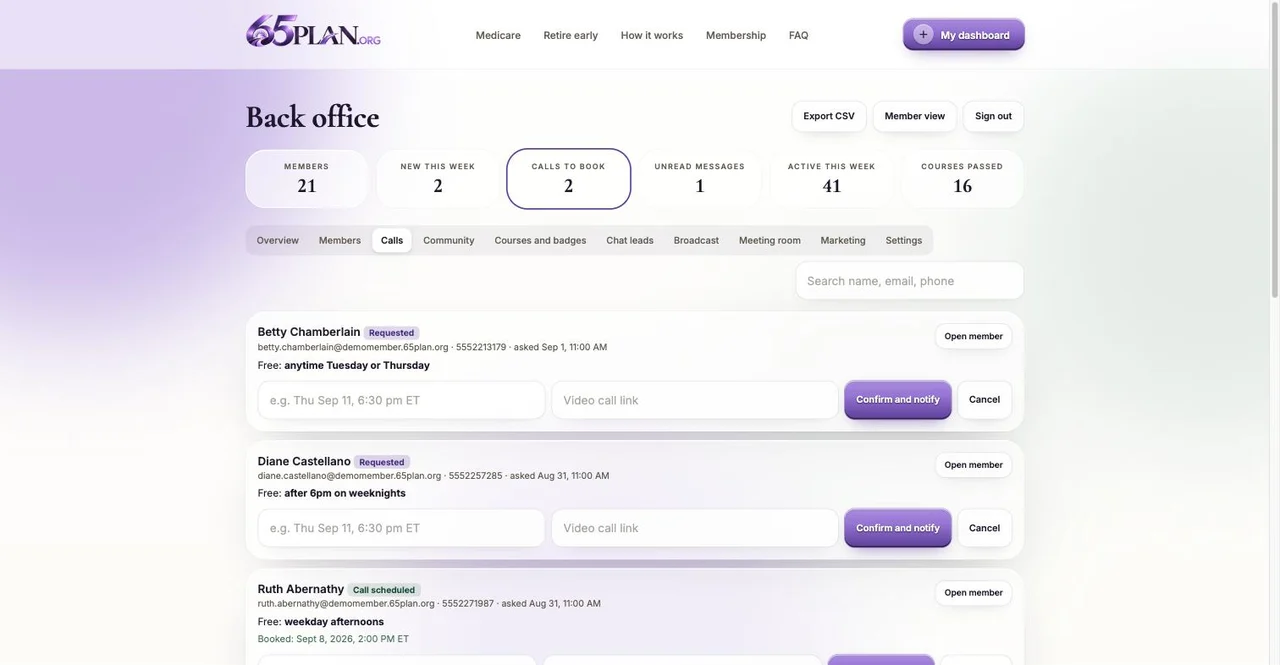
Members request a call with preferred times, or book straight onto your calendar if you set the link in Settings. Confirm with a time and a meeting link and they see it on their dashboard.
Mark done after the call and move their status. Two clicks and the pipeline is honest.
Export and your CRM
Export a spreadsheet any time for your own records or GoHighLevel. Once Launch Automation connects your GoHighLevel account, every new member, chat lead and call request is copied there as a tagged contact automatically.
Agents you add to the desk see the same leads under your brand, minus the owner-only controls.
Next
Where this can go
The software under this site is the same kind of platform the big membership brands run on: hosted worldwide, secure, fast, and built to add to. You do not need to be technical for any of it. Tell Launch Automation what you want and it shows up in the portal. A few of the directions that fit your business.
A third calculator
The two doors already share one back office. A third one for a different offer, final expense or long term care, say, would sit alongside them and feed the same Members list. Nothing has to be torn down to add the next thing.
A video library
Every short video the team records, organized by door: Medicare and retire early. Members watch, you see who watched what.
Lessons can embed your videos, so the courses become your advisors on camera.
Public articles that rank
Two or three course lessons published as public pages with a “join free to continue” gate give Google real pages for the Medicare and retirement searches your buyers type.
Referral and partner links
A link per CPA, senior center or realtor, so the back office shows who sent whom, and a leaderboard of partners if you want one.
Text and email automation
Welcome sequences, a “you have not logged this month” nudge, a call reminder, an enrollment window countdown, all driven by what members do on the site, through GoHighLevel or email.
Events and challenges
A 30 day “Medicare ready” challenge before the enrollment window with daily tasks and a badge at the end. A quarterly plan review week. A back-to-school head start push.
A team desk
Route leads to the 19 advisors by state or by door, give each a title, and see the whole pipeline in one place.
Client-only area
A section members unlock when their status becomes Client: plan documents, annual review booking, a place to keep beneficiaries and the important papers file.
Live sessions, already built
The meeting room is live today: scheduled sessions, a countdown, notifications, replays. Attendance earning a badge and a replay library organized by topic are the natural next steps.
The possibilities are wide, and it will be what you make it. The site already does the hard part: it turns attention into a personal number, a number into a free member, and a member into someone who trusts you before the first call. Everything in this section is a conversation with Launch Automation away.
Getting in
Set up in about ten minutes
Seven steps, in order, and you never touch code or wait on anyone. Your login is yours alone: you pick the email and the password, and nobody else ever sees it, including us. The setup key is how the site knows you are allowed to create an admin account. It is never shown on this page: press the button and a fresh key is emailed to the owner address on file. Each key works for one login and expires after 24 hours, so request one for each person who needs a login.
Create your admin login
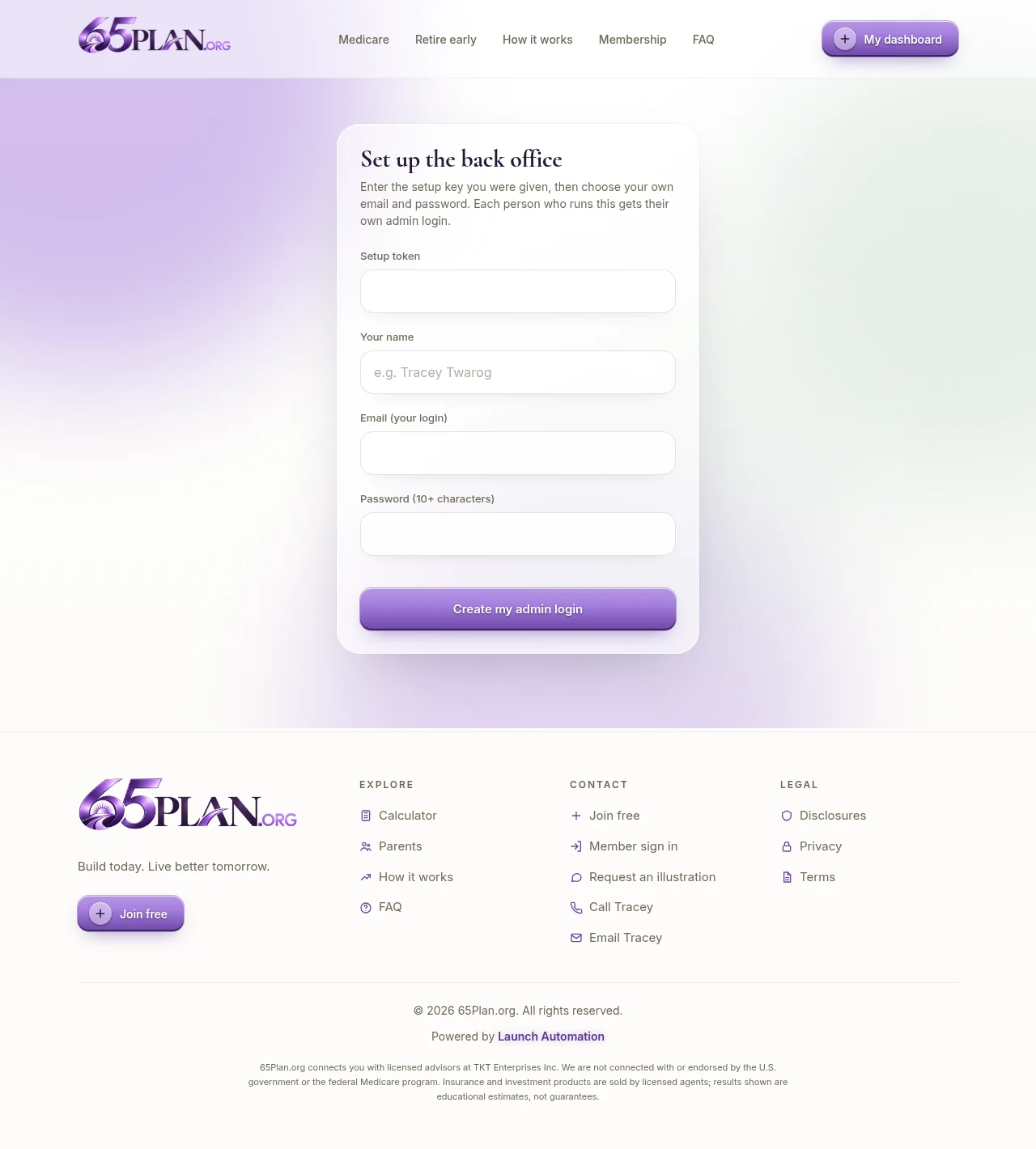
Open /admin/setup, paste the setup key from your email (the button below sends one), then enter your name, the email you want to sign in with, and a password of at least 10 characters. Submit and you land in the back office.
A fresh key goes to the owner address on file. It works for one login and expires after 24 hours.
Open the Settings tab
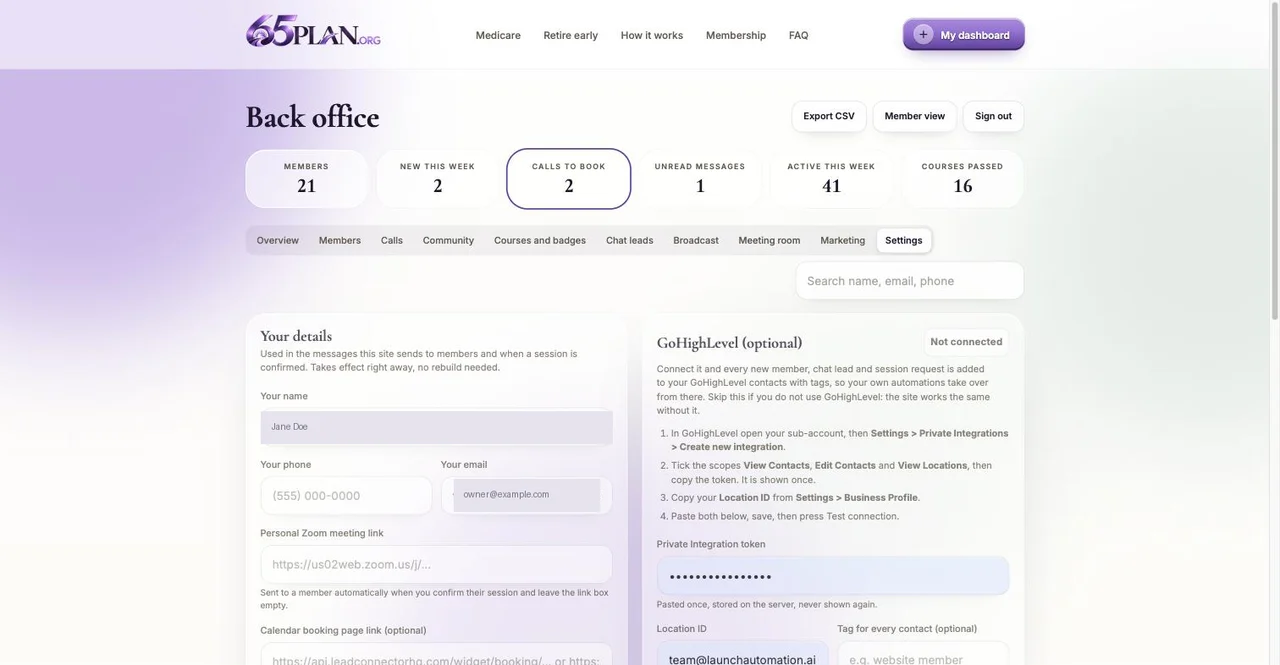
The last tab in the back office at /admin. Only admins can see it. Agents cannot. Everything you save here takes effect immediately, with no rebuild and nothing to wait for.
Enter your name, phone and email
These are used in the messages the site sends to members and when you confirm a call, so they should be the ones you actually want people to reach you on. The phone has to be a 10 digit US number and the email has to be a real address, or the form will say so.
Paste your personal video meeting link
Your own standing meeting room link, from Zoom or whatever you use. When you confirm a member’s call and leave the link box on that call empty, this one is sent to them automatically. It has to start with https://
Paste your calendar booking link (recommended)
A GoHighLevel calendar, a Calendly page or a Zoom Scheduler link, whichever you use. Set it and every member sees your live calendar on their dashboard and books a time themselves. Leave it empty and members instead tell you when they are usually free, and you confirm the time from the Calls tab. Both work. The calendar just removes the back and forth. It has to start with https://
GoHighLevel: nothing to paste
There is no GoHighLevel box on the Settings tab. Launch Automation holds the connection on the server, so you never handle a token. Once it is connected, every new lead, every new member and every call request is copied into your GoHighLevel account, tagged membership site plus membership lead, membership signup or membership call request, so your own automations can pick it up. The copy only ever adds: it never changes a contact you already have, and nothing you change in GoHighLevel is sent back to this site.
Test it as a member
Open the home page in a private window, run either calculator, save the plan and join with a personal email. You appear in Members within seconds, and in GoHighLevel once it is connected. Request a call from the dashboard and watch it arrive on the Calls tab or your calendar.
65plan.org/admin/setup
65plan.org/admin (Settings)
Good to know
Every field is optional. The site runs perfectly with all of them empty, it just does less for you.
Signing in later./login. Admins go straight to /admin. The “My dashboard” button in the header shows you the member side of the same account.
Adding other people. Two ways, both fine. Email yourself a fresh setup key with the button above and forward that email to a trusted person; they make their own admin login on the same page. Each key works once. Or, for someone who should help without full control, have them join free at /join, then open their card in the Members tab, set Role to Agent, and give them a title. Either way you never share a password.
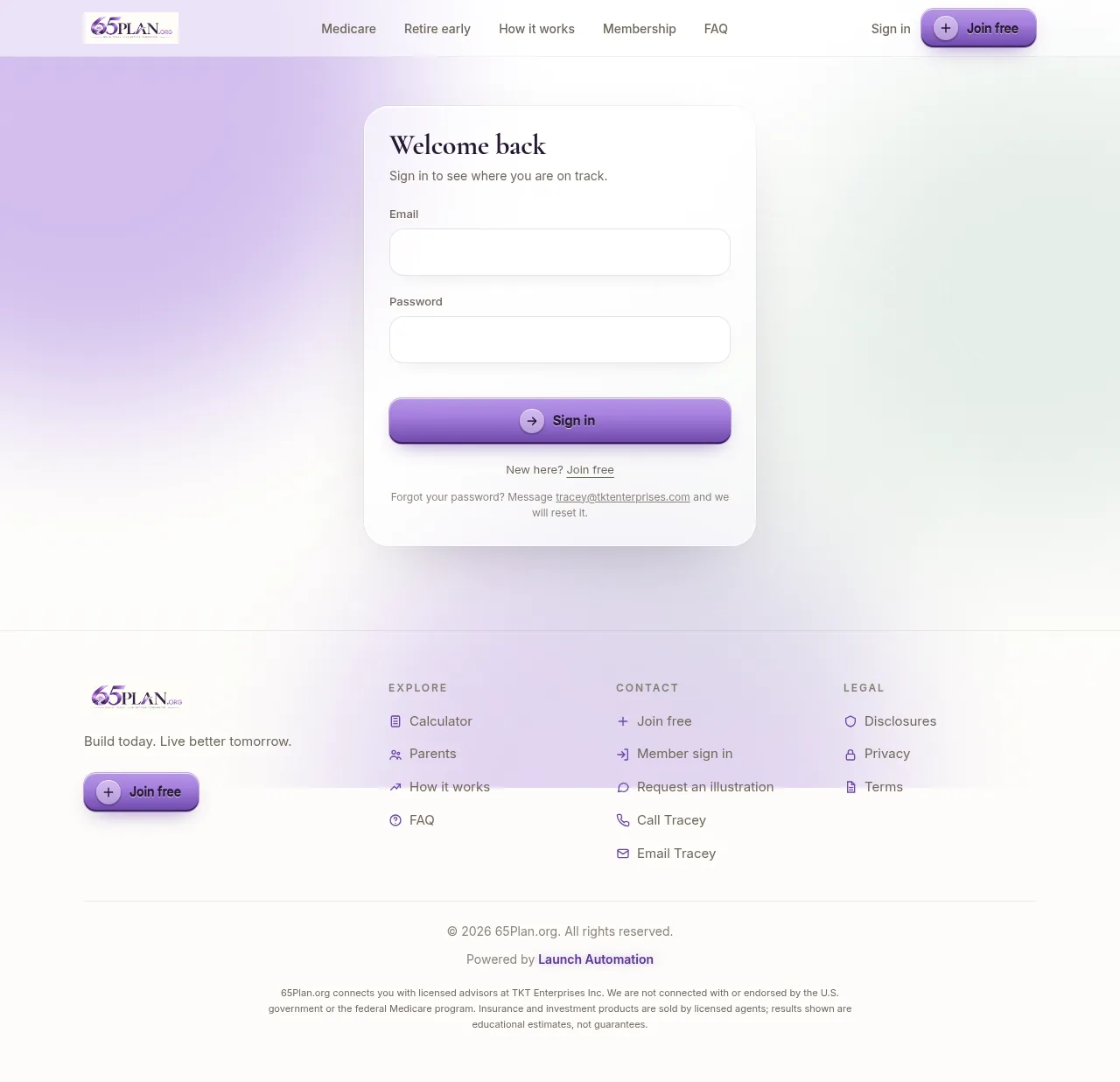
Forgot your password later? Use the “Reset it” link on the login page, which emails you a one-time link, or another admin can reset it from your member card. The setup page only ever creates a new login: it will not change the password on an email that already has one. A member never has to call or message you for this: the login page has a “Reset it” link that emails them a one-time reset link they can use themselves. If they cannot find that email, open their card in the back office and click “Send password reset link” to email it again, or “Reset password” for a temporary password you pass along yourself.
Part one
The public website
The public site talks to two kinds of visitor first: someone turning 65 who needs Medicare figured out, and someone who wants to build wealth early and set their kids up. Every page is written in plain language, no jargon, no fine print buried where nobody reads it.
Home page, top to bottom
This build has two lead magnets, not one, so the home page is a short hub that sends a visitor to whichever path fits, rather than a single calculator on its own.
65plan.org
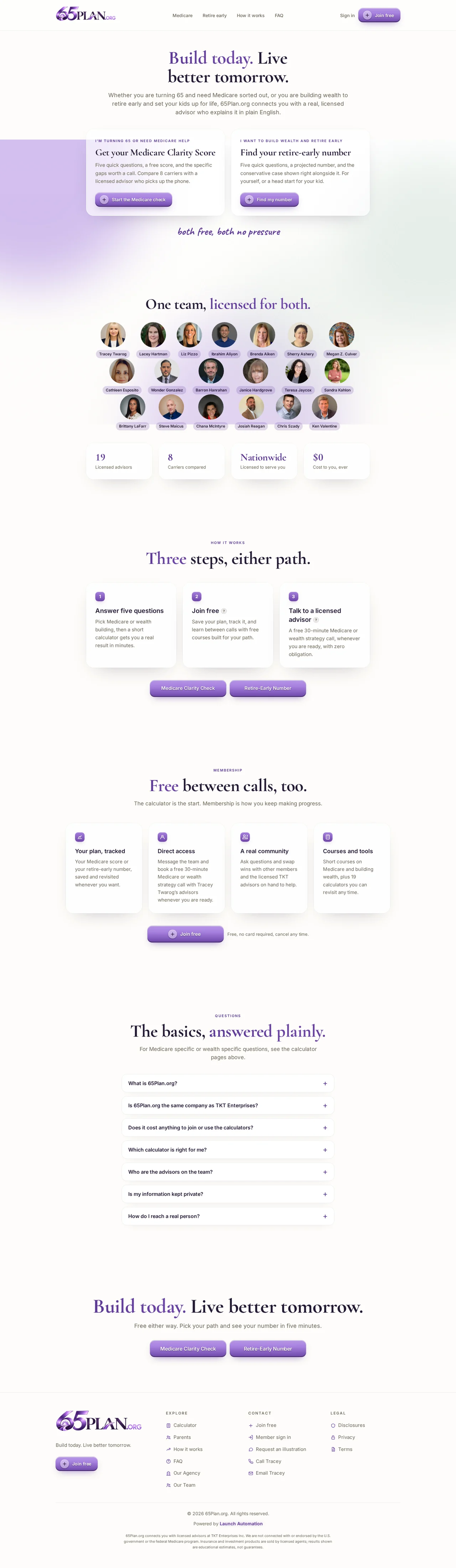
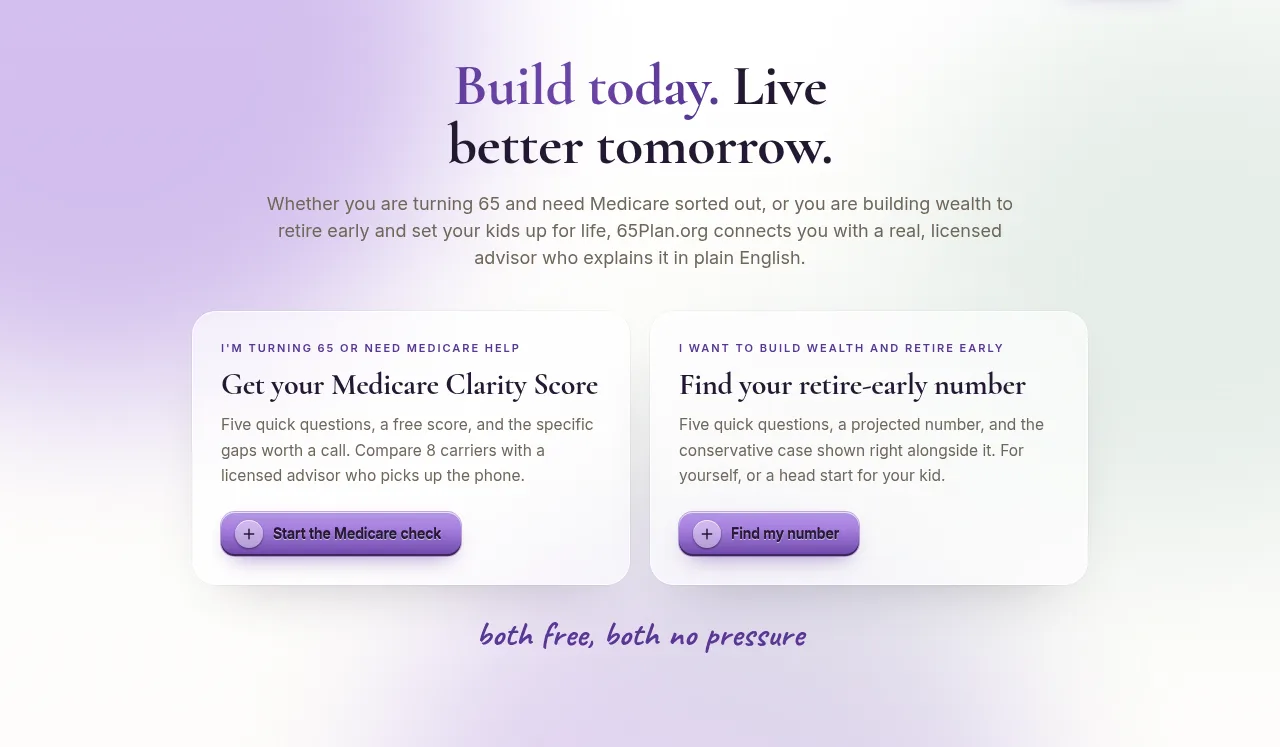
Two paths, right up top. “Build today. Live better tomorrow.” above two cards: Medicare Clarity Score for people turning 65, and the Retire-Early Number for people building wealth. Both free, both no pressure.
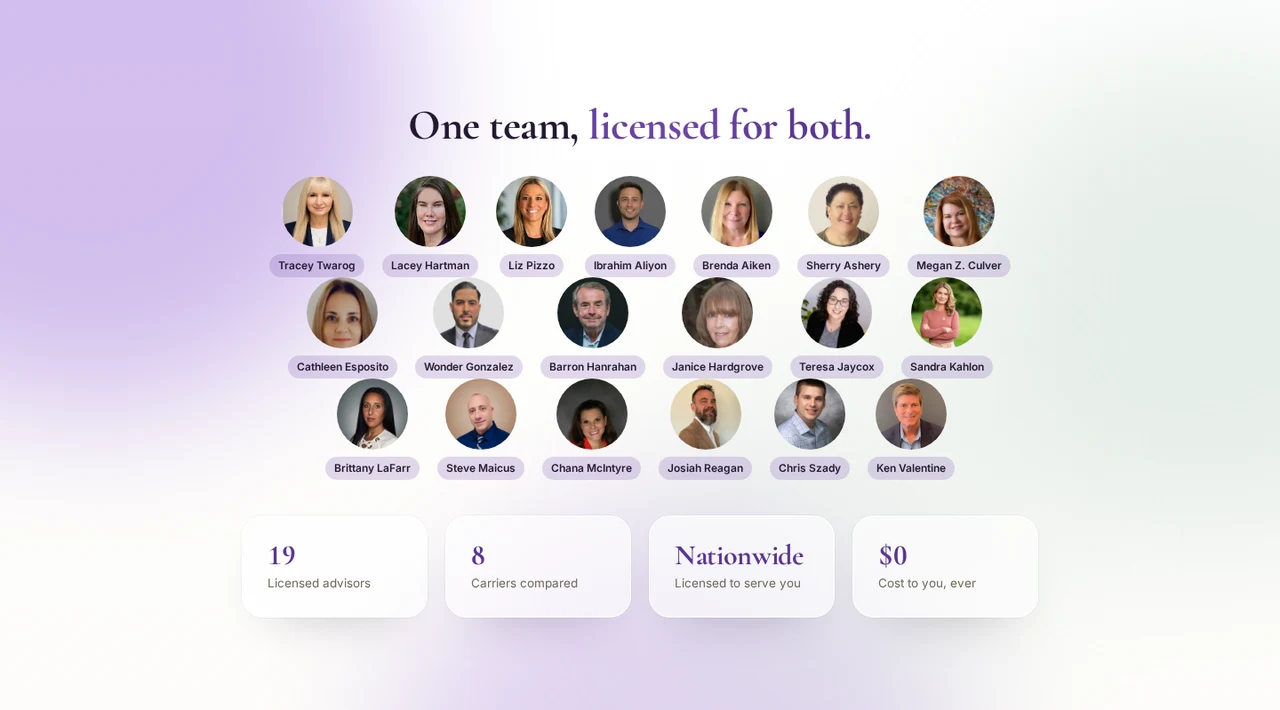
One team, licensed for both. All 19 advisors by name and photo, then four numbers: 19 licensed advisors, 8 carriers compared, nationwide, and $0 cost to the visitor.
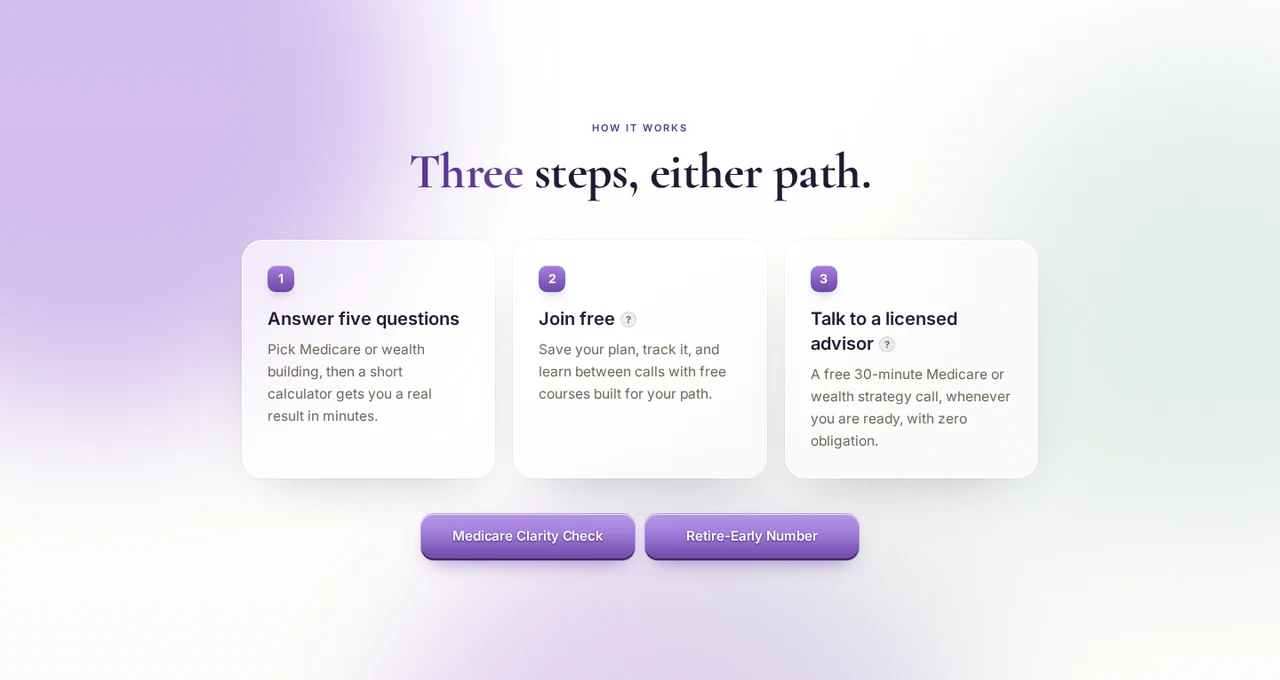
How it works. Three steps either path: answer five questions, join free, talk to a licensed advisor on a free 30-minute Medicare or wealth strategy call.
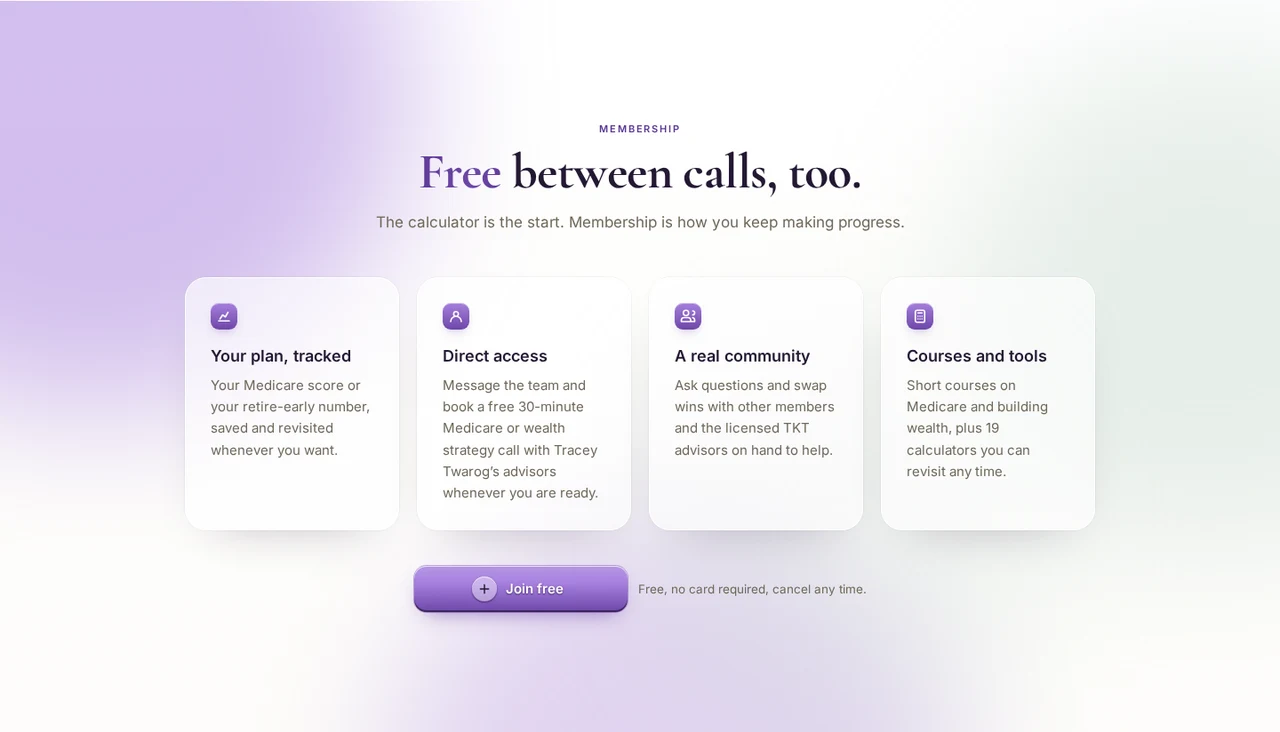
The membership pitch. Four cards: your plan tracked, direct access to the team, a real community, and 19 courses and tools. Every button here goes to Join free.
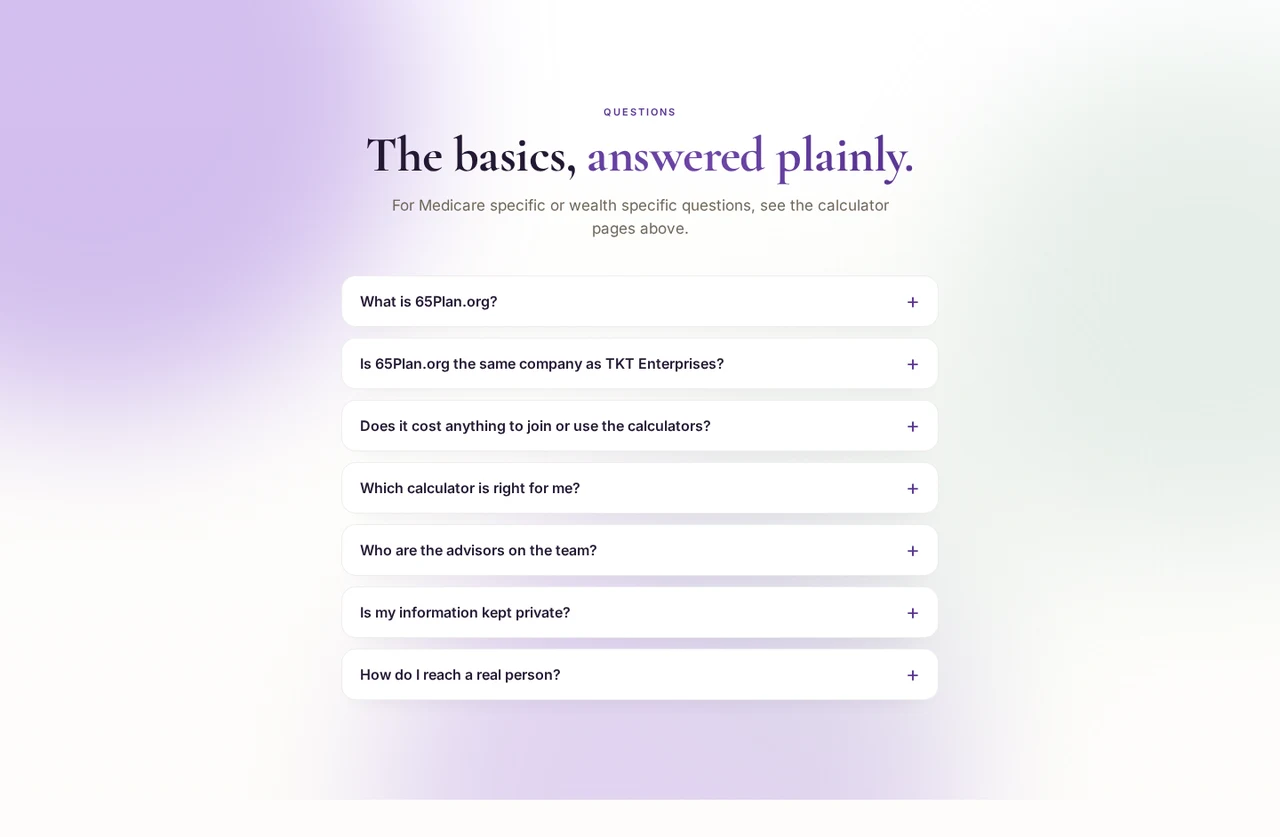
Seven questions, answered plainly. Written the way people type them into Google and ask an AI assistant. Each one is marked up so search engines and assistants can quote the answer directly.
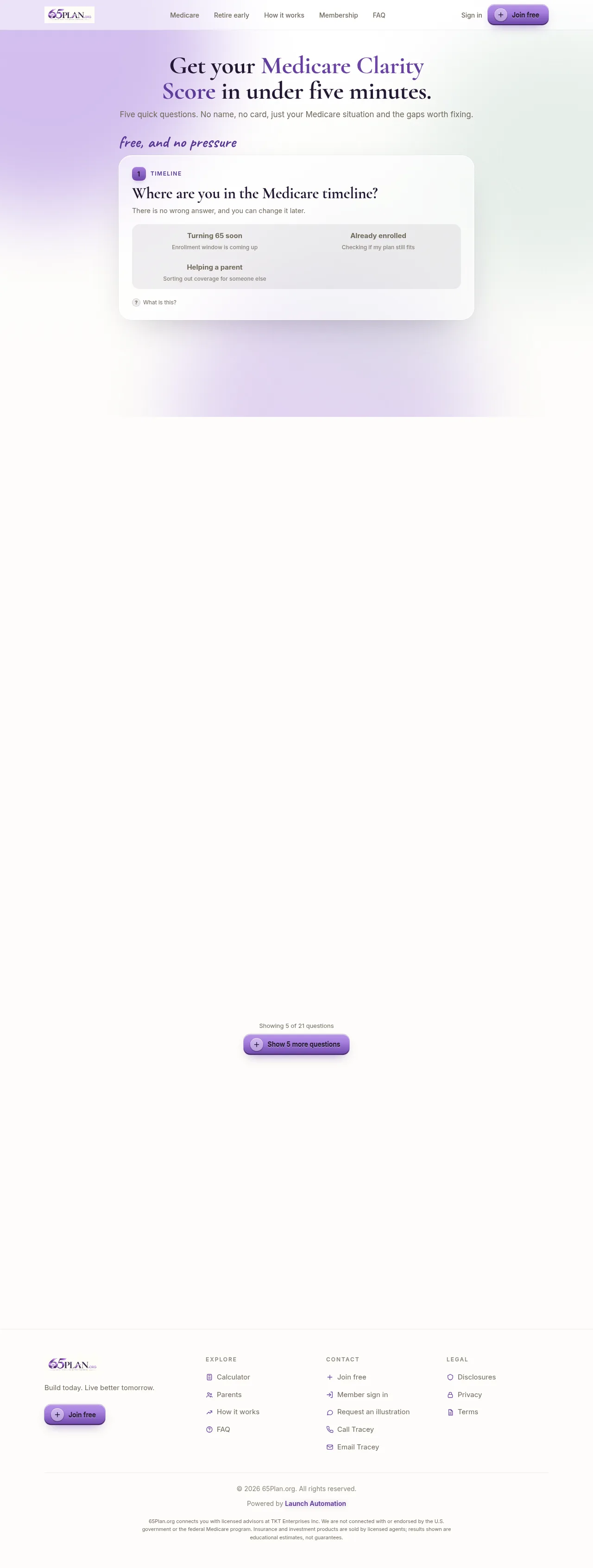
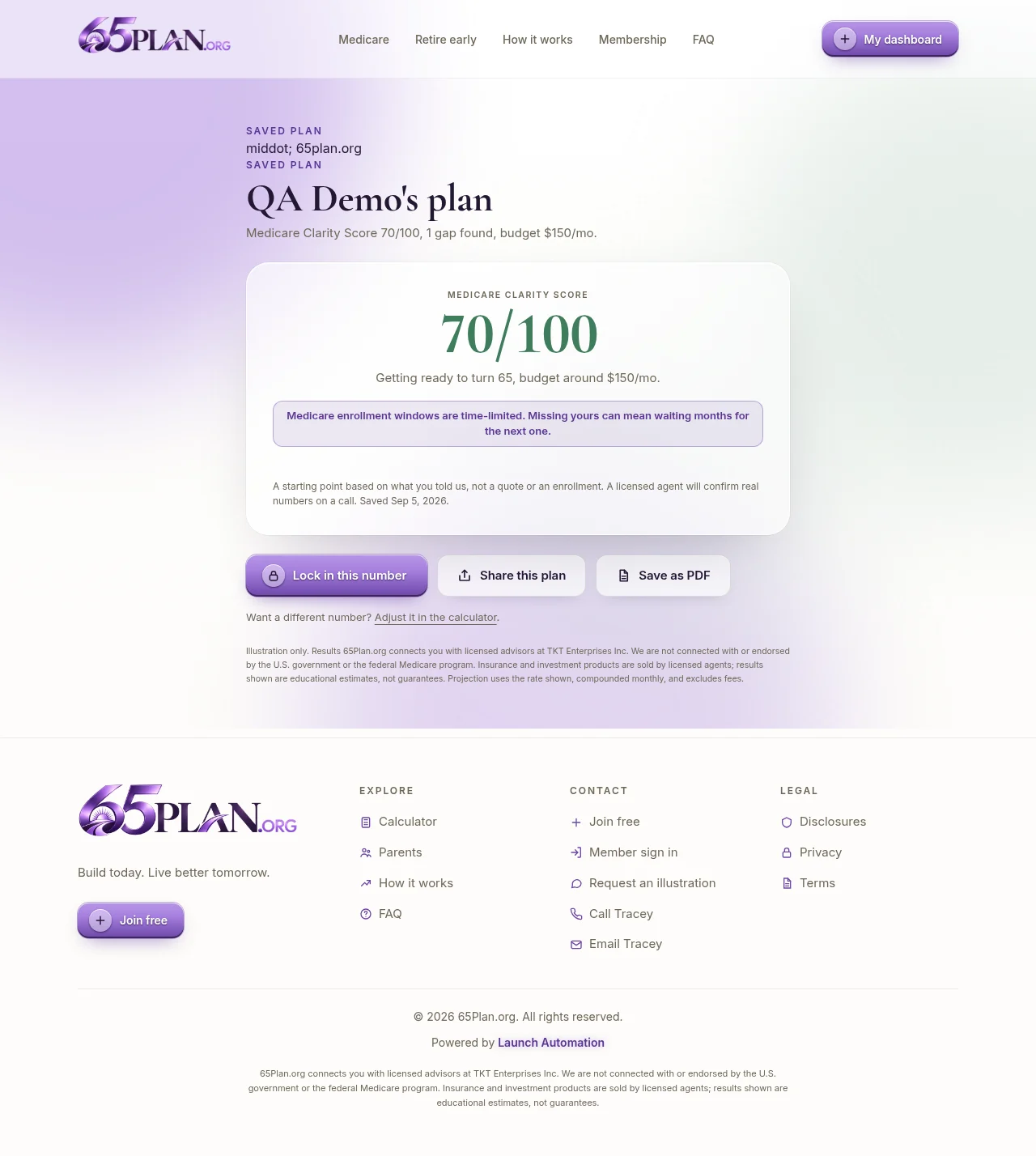
Five questions: where they are in the timeline, current coverage, prescription count, how much doctor choice matters, and a comfortable monthly budget.
Result: a Medicare Clarity Score out of 100, with the specific gaps it found (drug coverage, dental and vision, doctor network risk), framed as worth a call rather than a scary number.
Carries the federal Medicare marketing disclaimer required for this kind of page.
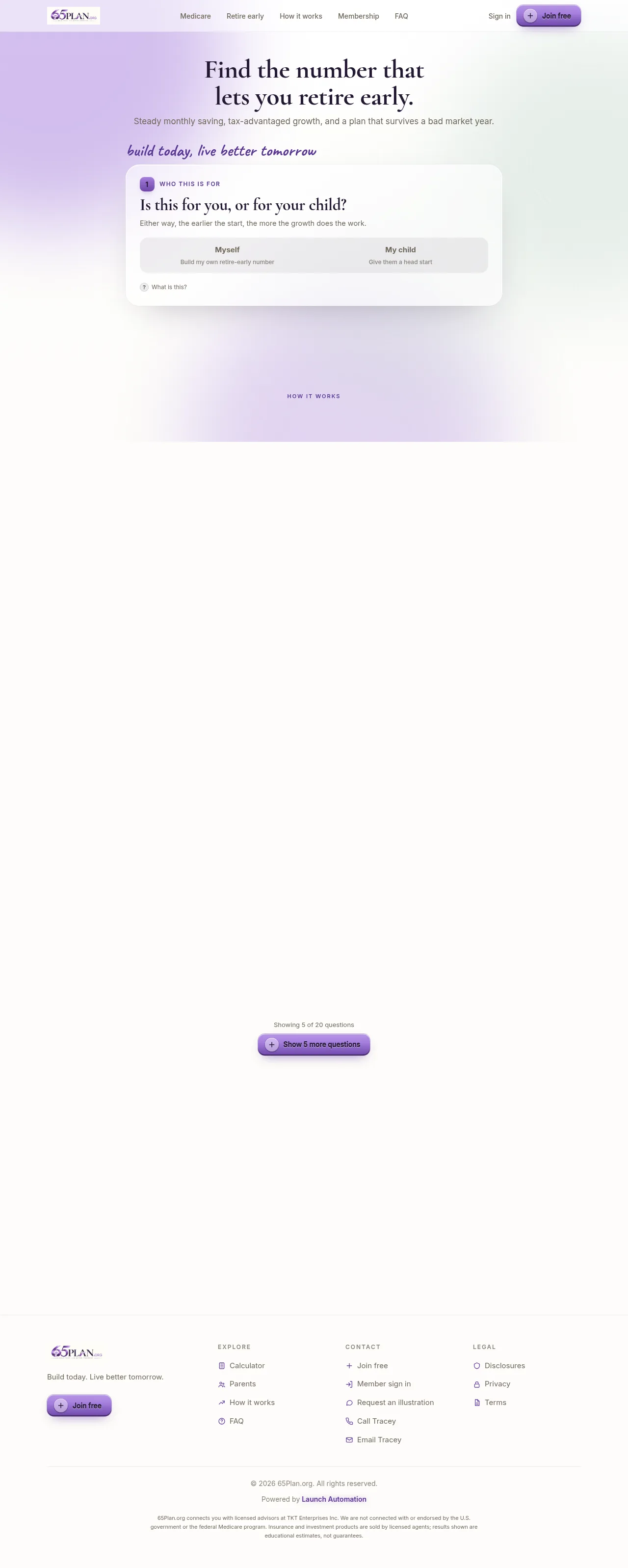
Starts by asking for myself or for my child, and the page’s wording swaps to match.
Then age, monthly amount, years to contribute, and a growth rate preset (conservative, moderate, optimistic).
Result: a projected balance next to what the same money would be in an ordinary taxable account, with the conservative case one click away and the required hypothetical notice on screen.
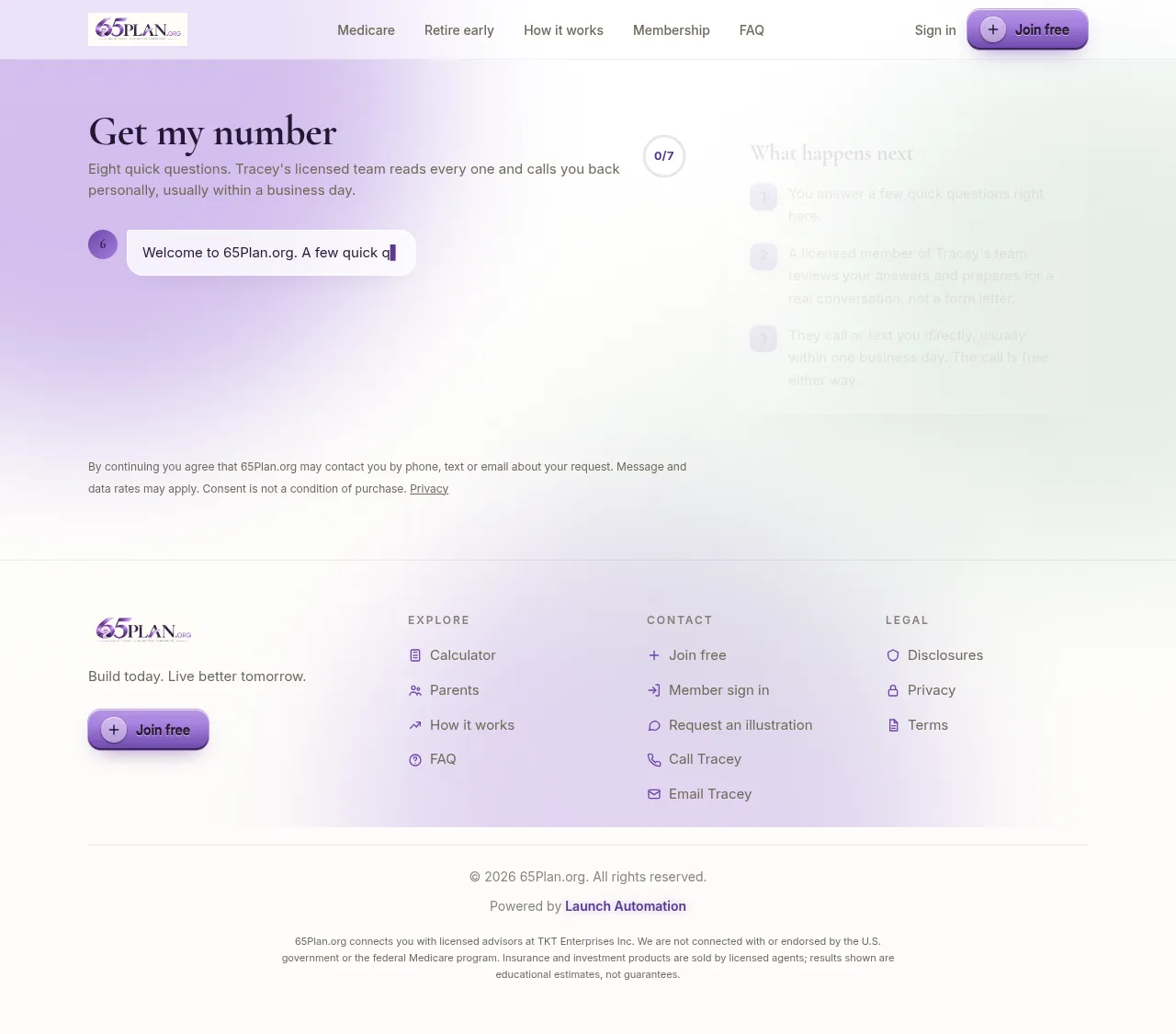
A chat style form for people who already want to talk to somebody.
It asks one thing at a time, then hands the answers straight to the back office.
In order: full name, date of birth, who this is for, phone, email, a short explainer on what the free call is and is not, the main goal (six choices), then a ballpark monthly amount.
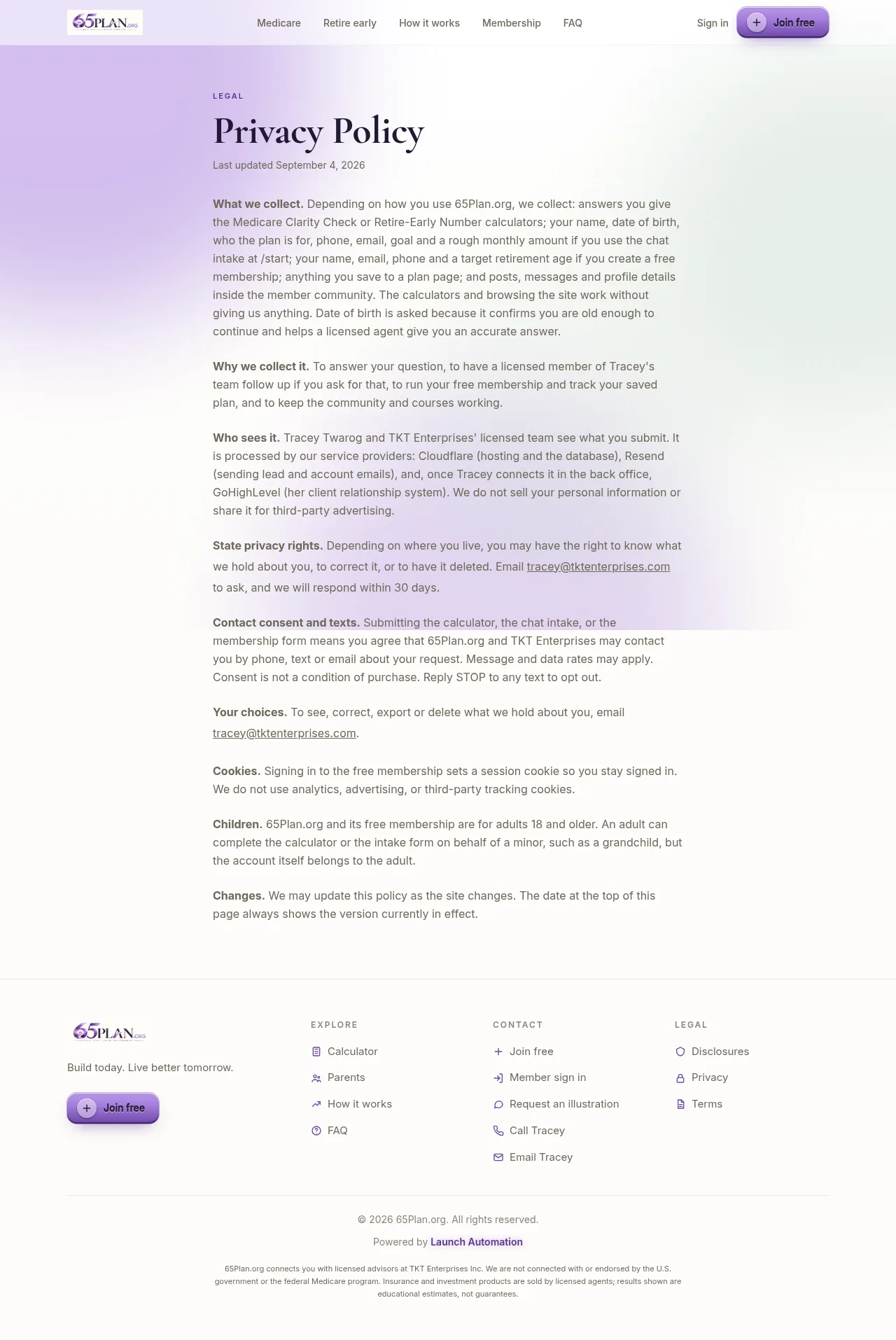
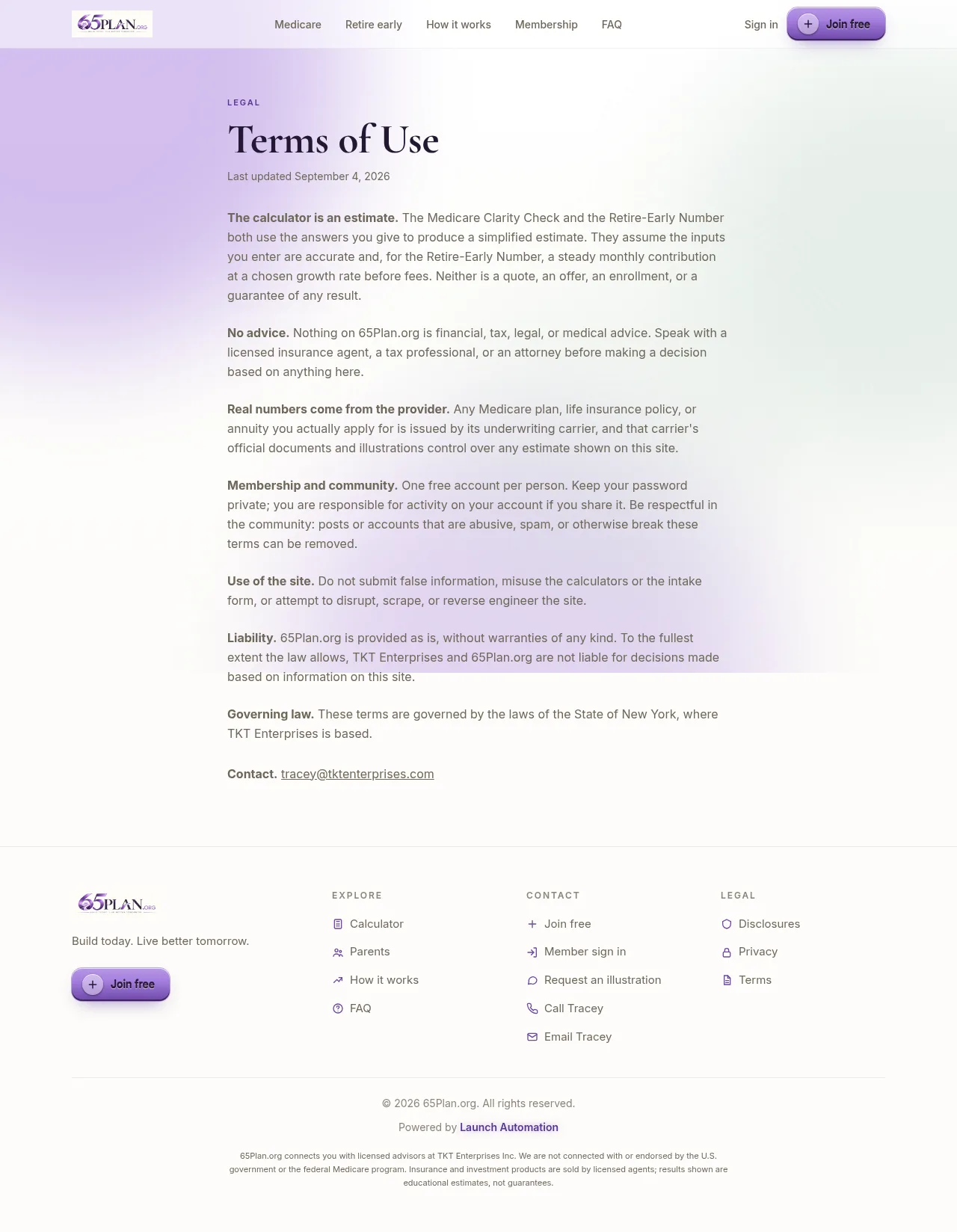
Privacy, Terms and Disclosures cover how member data is used, the rules for using the site, and the required Medicare marketing and hypothetical-projection notices for both calculators. Send Launch Automation any wording change you want and it goes in at no charge.
Part two
The membership area
Free to join, and built to keep people engaged between conversations. Every action earns points, points unlock levels, and milestones unlock badges with a small celebration on screen.
/members
Dashboard
Their saved plan, with an on track ring and the projected result.
A button to log the month. Streaks earn badges.
A request for the free 30-minute Medicare or wealth strategy call, or your live calendar if you set one in Settings.
Level bar, latest badges, notifications and course progress.
Eight courses: Medicare 101, Turning 65, Social Security, Life Insurance After 50, Building Your Retire-Early Number, Tax-Advantaged Growth, Setting Your Kids Up, and From Working to Retired.
A learning path bar, plus filters for not started, in progress and passed.
Each card says who it is for and how long it takes.
Seven Medicare tools: coverage gaps, Advantage vs Supplement, Part D cost, enrollment countdown, dental and vision gaps, out-of-pocket max, and the 65th birthday timeline.
Eight wealth tools: the retire-early calculator, a kids head-start chart, tax-advantaged vs taxable, a contribution tracker, a legacy goal planner, a compound growth visualizer, income replacement, and the Rule of 72.
Four shared tools: Social Security claiming age, life insurance needs, a monthly budget check, and a doctor and prescription checklist.
What a member types in is saved to their account, so the numbers are still there next visit.
Screen recordings from the live site, so you can see what a member actually feels. Left: a member logs the month, the ring updates and a badge lands with confetti. Right: a member writes to you from the Messages page, one tab from the dashboard.
Log the month. The ring fills, points land, the level bar moves and a badge unlocks with a celebration.A member writes to you. Private messages sit one tab from the dashboard.
Yours to run
The meeting room
A page inside the membership at /members/room where your live sessions play on a wide screen. Members just show up. There is no meeting ID to find, no link to forward, and nothing else to sign in to. They are already signed in to the membership, so the session is simply there. A monthly Medicare open house, an occasional wealth-building session, or something else entirely: there is no wrong cadence to start with, and nothing here commits you to one.
Before a session
The screen shows the title of what is coming and a live countdown that ticks down by the second.
The rest of the calendar sits underneath it, so members can see what else is planned.
Scheduling a session with “Notify every member now” ticked puts it in every member’s notifications the moment you save.
While it is on
The stream plays in the room, with a red Live pill above it and a Full screen button beside it.
A red dot appears on the Meeting room link on every page of the membership, so nobody misses it.
Every member gets a “Live now” notification pointing at the room.
The room checks for a change every 30 seconds, so a member who is already sitting on the page does not need to refresh.
How you run one
Schedule it
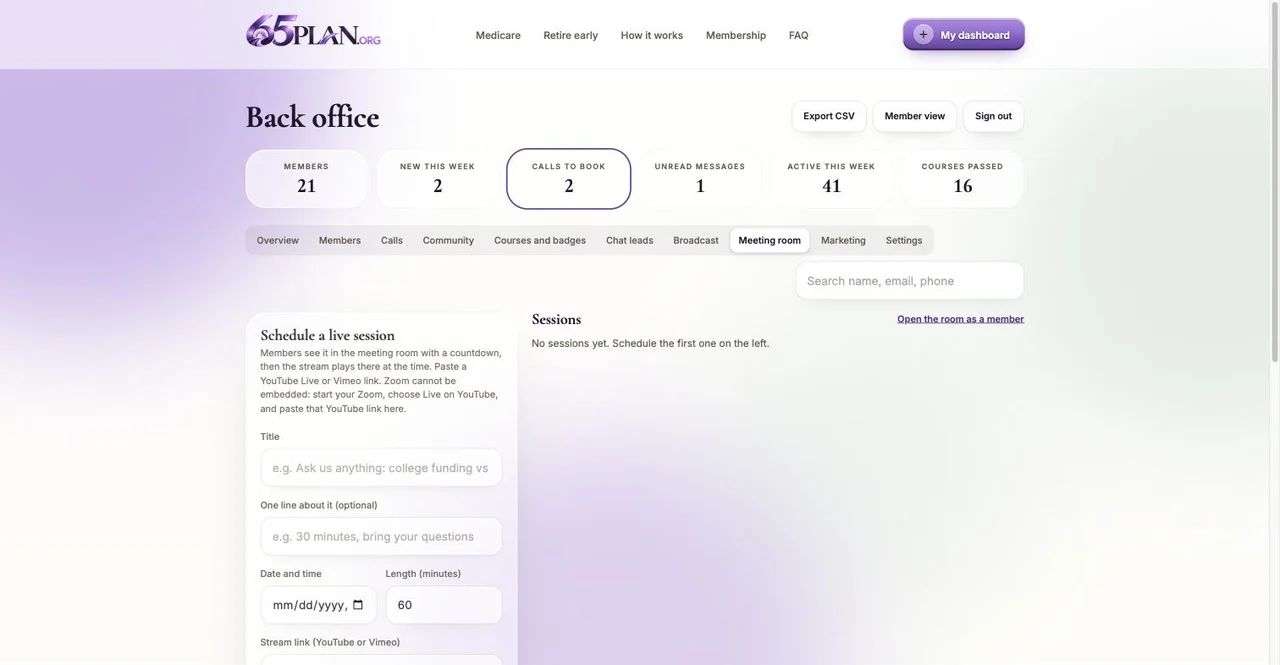
Back office, Meeting room tab. Give the session a title, one line about it if you want, the date and time, and how long it runs. Anything from 15 minutes to eight hours, and it starts at 60.
Paste the stream link
A YouTube or a Vimeo link, nothing else. A plain meeting link cannot be played inside a web page, so start your meeting, choose the option to go live on YouTube, and paste that YouTube link here. Anything that is not YouTube or Vimeo is refused on purpose, so nothing untrusted can ever be shown inside your site.
Tell everyone
Leave “Notify every member now” ticked and every member gets a notification with the title and the time, pointing at the room. Untick it if you are still setting the session up.
Go live
Each session is Scheduled, Live, Ended or Cancelled, and you switch it from the list. Switching one to Live ends any other live session automatically, so two can never run at once, and every member is told it has started. If a link is saved, the room also opens the stream by itself from ten minutes before the start time until half an hour after it was due to end, so a late start is not a problem.
End it
Mark the session Ended when you are done. The recording stays on YouTube or Vimeo, and the session drops into the list underneath the screen with a Watch the replay link, so anyone who missed it still gets it.
65plan.org/members/room
65plan.org/admin (Meeting room)
What a member actually experiences. A notification when you schedule it. A countdown on the room page telling them when you are next on. A red dot on the Meeting room link when you start. They click it, the session is already playing, and the Full screen button makes it the whole screen. Afterwards the replay is in the same place. That is the entire ask of them, and it is the reason people turn up: nothing to install, nothing to remember.
The limits, plainly. A YouTube Live stream is public on YouTube unless you set it to unlisted, so anyone holding the YouTube link could watch it there without being a member. Set the stream to unlisted, which is what we recommend, and the room is the only place people find it. The room plays the stream, it does not carry a chat box: questions come to you through the community or through messages, which is better anyway, because both of those stay in your back office where you can answer them after the session.
Part three
The back office
Everything at /admin. You are the Admin. Other people can be made Agents: they get the same desk minus the owner only controls, and they can help in the community under a title you give them.
/admin
Overview
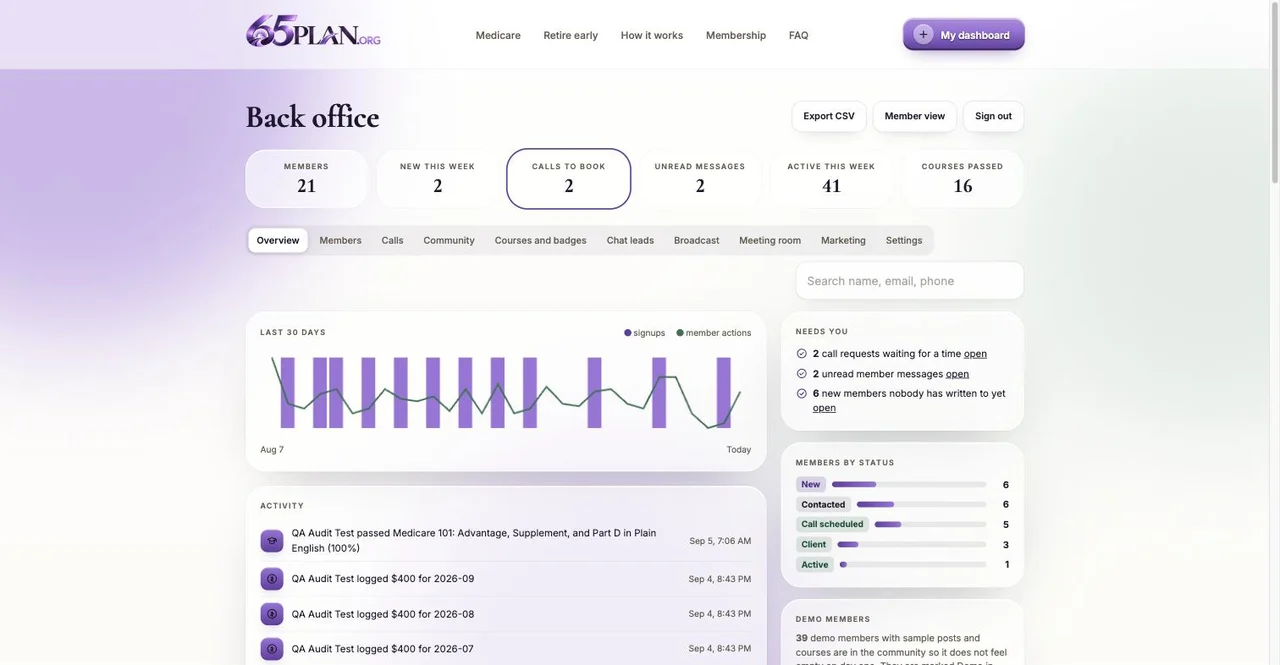
Counters across the top: members, new this week, calls to book, unread messages, active this week, courses passed.
A 30 day chart of signups and member activity.
A “needs you” list: calls waiting for a time, unread messages, new leads, and members nobody has written to yet.
The activity feed, the status mix, and one button that removes the demo members.
Two more tabs are covered elsewhere in this guide, because they are the ones you will use most: Settings and the Meeting room.
Demo members. Twenty sample members with photos, posts, badges and certificates ship with the site so the community does not look empty on day one. They cannot sign in, they are marked as demo in the Members list, and one button on the Overview tab removes all of them at once. Do that before you invite real people.
Never miss one
How leads reach you
A lead is anyone who joins, asks for a call, sends a message or fills in the request form at /start. All of them are always in the back office, on the Overview tab’s “needs you” list. Three more routes bring them to you where you already work.
Your inbox
Every new website lead, every new member and every call request also lands in your inbox, sent by the site itself from no-reply@notify.65plan.org, so nobody has to remember to check the back office. Hit Reply on one and your reply goes to that person.
It switches on with the domain, listed below in what still needs connecting. Every lead is saved and visible in the back office either way, so a mail problem can never lose one.
GoHighLevel
Connected on the server by Launch Automation, so there is no token to paste. Every new member, chat lead and call request is copied into your account as a tagged contact, and your own automations take it from there.
Paste your booking link into Settings and every member sees your live calendar on their dashboard and books a time themselves.
Without it, members request a call with the times that suit them, and you confirm the time from the Calls tab. Both work; the calendar removes the back and forth.
What you own
What is under the hood
You never have to touch any of this. It is here so you know what you own and can hand the list to anyone who asks. Every figure below was measured on the finished build.
Part
What it is
Hosting
Cloudflare Workers, served from Cloudflare’s global edge network so each visitor is answered from somewhere near them. There is no server to patch and nothing to keep running.
Database
Cloudflare D1, which is SQLite. 18 tables: members, plans, leads, sessions, contributions, call requests, messages, posts, replies, likes, points, badges, course progress, certificates, notifications, tool data, events and settings. Backed up by Cloudflare.
Deploys
GitHub Actions pushes to Cloudflare on every change to the main branch. No downtime, no maintenance window, and no manual step for anyone.
Security
Passwords hashed with PBKDF2-SHA256 at 100,000 iterations. Session cookies are HttpOnly, Secure and expire after 30 days. Every write checks the request came from this site. Ten rate limits sit on sign up, sign in, the setup page, plan saves, chat leads, call requests, messages, posts, replies and quizzes. Back office routes answer a member with a refusal rather than data.
Privacy
No third-party trackers and no ad pixels of any kind. The three typefaces are served from the site itself, not from Google. No member data is sold or shared.
Front end
24 page templates and about 220 KB of hand-written JavaScript across the whole platform, with no framework behind it. A Tailwind CSS design system, and assets stamped with a content hash so browsers can cache them for a year and still pick up a change instantly.
API
About 30 routes covering the member side and the back office, plus the public calculator, plan and lead endpoints, all in roughly 175 KB of Worker code.
Content
8 courses, 40 lessons and 40 quiz questions with printable certificates, about 6,500 words of lesson text. 19 tools. 19 badges across 5 levels. 47 FAQ answers across the home page and both calculator pages.
Quality
Lighthouse 100 for SEO, Accessibility and Best Practices on every indexable public page, and Performance in the 90s on the three calculator pages, measured live on September 5, 2026. Zero console errors and no horizontal overflow on any page, checked on a 390px phone and a 1440px desktop the same day.
Structured data
Organization, WebSite, WebPage with speakable markup, a free WebApplication, a HowTo for the three steps, FAQPage on all 47 answers, and BreadcrumbList. This is what lets Google show rich results and lets an AI assistant quote you by name.
Media
Nineteen advisor headshots on the home page, a 1200 by 630 share image for links pasted into texts and feeds, a full icon set for browser tabs and phone home screens, and a meeting room player that takes YouTube Live and Vimeo.
For perspective
What this would cost elsewhere
Tracey: these are published market ranges, not a quote, and not what you paid. They are here so you can judge what is sitting on your domain. Two sources, both public.
Agency rates
Clutch’s Web Development Pricing Guide, updated September 5, 2026, puts US web development agencies at $100 to $149 per hour.
The same guide reports an average agency project cost of $66,499, with a typical timeline of nine months.
It puts a dashboard application at $80,000 to $250,000 and an enterprise portal at $100,000 to $300,000.
It puts annual maintenance at 15 to 25 percent of the original build cost.
Piece
What it covers
Typical agency estimate
Marketing site
The public pages, two interactive calculators with two different result screens, saved plans with private share links, and the SEO and AEO work behind them.
$25,000 to $55,000
Membership platform
Accounts and sign in, the two-plan dashboard, 8 courses, quizzes, certificates, 19 tools, the community, private messaging, badges and levels.
$50,000 to $120,000
Back office
Leads with the plan attached, statuses, call requests, broadcast, filtered messaging, community moderation, agent roles and spreadsheet export.
$25,000 to $60,000
Meeting room
The live session page, scheduling, notifications, the live switch and the replay list.
$8,000 to $20,000
Design and quality
The design system, the accessibility and performance work that produced the scores above, and the compliance wording on both tracks.
$15,000 to $35,000
Search and AI visibility
Technical SEO to a 100 Lighthouse score, structured data on every page, 47 FAQ answers written for AI assistants, sitemap, llms.txt and the noindex rules that protect the member area.
$6,000 to $15,000
Database, hosting and security
A production database with 18 tables, the edge hosting that serves every page from close to the visitor, encrypted passwords and sessions, rate limits, the automatic deploy pipeline, and the backups Cloudflare keeps.
$8,000 to $18,000
Ongoing support and maintenance
Updates, fixes, monitoring, new courses and tools, and a human to email. Kavara puts annual maintenance at 15 to 25 percent of the build cost, which on the figures above is $21,000 to $81,000 a year at agency rates.
$21,000 to $81,000 per year
Your time
Requirements meetings, revision rounds, hiring, vendor management, hosting accounts, DNS, database setup. You did none of it. The finished platform appeared with your brand, your team and your compliance language already in place.
0 hours
Total to build
Estimates at the published US agency rates above, not a quote from anyone. Maintenance is on top, every year.
$137,000 to $323,000
In other words, low to mid six figures at agency rates plus a yearly maintenance bill, and the Kavara ranges for a dashboard or a portal put a build of this shape in the same place. Your monthly plan covers hosting, updates and support at the amount agreed with Launch Automation, and Kavara’s 15 to 25 percent annual maintenance figure is the number that comparison is usually made against. Your members, plans and leads are yours: export them from the back office any time, and your domain stays in your own account.
Assets
Brand and marketing kit
Everything a designer, a printer or a social media manager would ask you for, in one shared folder. Launch Automation shares it with you; email team@launchautomation.ai and we send the link, and ask for anything else you need added.
Logo files
The 65PLAN.ORG mark as it appears in the header, in the sizes web and print each need.
Versions for light and dark backgrounds, plus the square icon used for browser tabs and phone home screens.
Colors and type
The violet, cream and deep ink values used across the site, with the exact codes: violet #6E46A8, light violet #A67FDE, deep text #5A3694, cream #FDFCF9, ink #241833.
The three typefaces: Cormorant Garamond for headlines, Inter for everything else, and Caveat for the handwritten notes.
Share image and social sizes
The share image that appears when a link to the site is pasted into a text or a feed, already live on every page.
Post and story sizes built around the two calculators and the free membership, added to the folder as they are produced.
Your monthly plan
Your monthly plan: $297 a month to start
Nothing runs on anyone’s computer and there is nothing for you to maintain. The plan covers everything the site needs to stay up, fast and current, and the price only moves with your member count, never with traffic. The full breakdown, including what happens as you grow, is in your platform guide.
Included
Hosting worldwide, with the site served from locations close to every visitor.
The database that holds members, plans, posts, progress, messages and leads, backed up.
The form system, the API calls, email notifications, and the domain wiring.
SEO upkeep, and ongoing updates to the site and the platform.
Support. Anything that breaks, we fix.
Security
Passwords are encrypted. Nobody, including us, can read them.
Sign ins expire after 30 days and can be revoked.
Encrypted connections only, strict browser protections, and rate limits on signup, messages and posts.
Members can only see and edit their own things. Staff areas refuse everyone else.
The GoHighLevel connection is held on the server by Launch Automation. No token is ever shown in the back office.
Your data
Members, plans and leads are yours. Export them from the back office any time.
The domain 65plan.org is yours.
You never need to share a password with us, and we never see member passwords.
Waiting on you
What still needs connecting
The platform works end to end today. These items need something only you can supply. None of them stop members from joining.
Item
Why it matters
What we need from you
Status
Your admin login
Nobody can see leads until an admin account exists.
Two minutes at /admin/setup with the key above. You pick your own email and password.
Do first
Your details in Settings
Your name, phone and email are used in the messages the site sends on your behalf.
Nothing from us. Open the Settings tab and type them in.
Do first
The domain 65plan.org
Members should see your domain, not the preview address, and search engines only index the real one. The preview is deliberately hidden from Google.
Access to the domain’s DNS settings, or add Launch Automation as a manager. One record and it is live.
Needed
Email notifications
Every new website lead, new member and call request reaches your inbox as well as the back office, sent from no-reply@notify.65plan.org. The visitor gets a confirmation email too, and password resets are emailed to the member.
Nothing. It is built in and switches on with the domain. Tell us if you want a different address on the list.
With the domain
Calendar booking link
Without it, a member tells you when they are free and you confirm a time. With it, they book themselves.
Nothing from us. Paste your booking link into the Settings tab.
Optional
GoHighLevel
Every signup, chat lead and session request becomes a tagged contact in your account, so your own automations can pick it up.
Nothing to paste. Launch Automation connects it on the server; there is no box to fill in.
Optional
Intro video
A short video from you converts better than any amount of artwork, and there is a slot ready for one on the home page once you send it.
The video file. Phone quality is fine.
Optional
A license or NPN number to publish
Naming a real license number builds trust with visitors and helps Medicare and financial sites rank, but none is published on tktenterprises.com today, so none appears on 65Plan.org either.
Whichever license or National Producer Number you want shown publicly, if any, for you or the team. We never invent or publish one without it coming directly from you.
Recommended
Read the legal pages
This is a regulated niche. The privacy, terms and disclosures pages need a human who knows your licensing to read them before launch.
Your review, and any wording you want changed.
Before launch
Brand kit folder
Logos, colors, fonts and the share image in one shared place, for anyone who designs or prints for you.
Nothing. Email team@launchautomation.ai and we send the link.
Ask us
Remove the demo members
So real members are not mixed in with sample ones.
One click on the Overview tab when you are ready to invite people.
When ready
Search and AI visibility
Where it stands on SEO and AEO
SEO is whether Google can find and trust the site. AEO is whether an AI assistant quotes it when somebody asks a question. Everything below was measured on the live preview on September 4 and 5, 2026: real Lighthouse runs on every public page, an accessibility scan, a console and overflow check on a phone and a desktop, and a read of every title, description, canonical tag and structured data block. The preview address is deliberately invisible to search engines, so these numbers describe what is ready rather than what is ranking. It all switches on the moment 65plan.org points here.
Lighthouse SEO
100on every indexable public page
Accessibility
100Lighthouse, every page tested
Console errors
0on every page, phone and desktop
Domain
1step left, pointing 65plan.org here
Check
Result
State
Lighthouse
SEO 100, Accessibility 100 and Best Practices 100 on the home page, both calculators, the request page and all three legal pages. Performance lands in the 90s on the three calculator pages, which carry the team photos and the wizards. The join page reads lower for SEO on the preview only, because the preview deliberately hides it from search engines; that clears itself on the real domain.
Ready
Page titles
Every public page has its own title, well under the length Google truncates.
Done
Meta descriptions
Unique on every page; the marketing pages run 117 to 168 characters, in the range Google usually shows in full.
Done
Headings
Exactly one H1 on every page and a clean outline underneath it, confirmed by measurement, not by design intent.
Done
Structured data
Organization, WebSite, WebPage with speakable markup, a free WebApplication, a HowTo for the three steps, and FAQPage on every answer. This is what lets Google show rich results and lets an AI assistant quote you by name.
Done
Answer coverage (AEO)
47 questions across the home page and both calculator pages, each turned into FAQPage markup automatically, phrased the way people actually ask them: what 65Plan.org is, whether it costs anything, Advantage against Supplement, when to enroll, who the advisors are, how to reach a real person. A plain-text llms.txt file describes the site to the tools that read on behalf of an AI assistant.
Done
Sitemap and robots
sitemap.xml lists the eight pages worth ranking. Member pages, the back office and this guide are set to noindex on purpose, so nothing private turns up in a search.
Done
Canonical address
Every public page already declares 65plan.org as its canonical address, ready for the moment the domain is pointed at the site.
Ready
Social share previews
A 1200 by 630 share image is built and live on every page, at the size Facebook, LinkedIn, X and iMessage expect. Because the share link points at 65plan.org, previews only render once the domain is live.
Ready
Speed
The three typefaces are served from the site itself rather than from Google, and there are no third-party scripts at all, so nothing outside the site can slow a page down. Assets carry a content hash and cache for a year.
Done
Mobile
No horizontal overflow on any page at a 390px phone width or a 1440px desktop, checked September 5, 2026.
Done
Images
Every image on every page carries alt text and declared dimensions, and everything below the first screen loads lazily.
Done
Accessibility detail
The two issue types found on September 4 (a level pill and six small labels just under the contrast ratio) were fixed on September 5, taking Lighthouse Accessibility to 100 on every page. Motion respects the visitor’s reduced-motion setting throughout.
Fixed
Security headers
X-Content-Type-Options, X-Frame-Options and Referrer-Policy are set on every response, verified live against the preview.
Done
Trust signals
Google treats Medicare and financial pages more kindly when a real licensed person is named. Your name, your team and your phone number are on the site; a license or NPN number to publish is listed above in what still needs connecting.
Needs you
Domain
The preview address carries a noindex header on purpose, so nothing gets indexed before your real domain is connected. The rule only fires on the preview address, so it clears itself the moment 65plan.org points here. Nothing ranks until then.
Needs you
Next step
Once the domain is live, publishing two or three course lessons as public articles, with a “join free to keep reading” gate, would give Google real pages to rank for the Medicare and retirement searches people near 65 are already making.
Later
Go live
Launch checklist
Create your admin login
Email yourself a setup key with the button above. Then sign in and click through every tab in the back office so nothing is a surprise later.
Read the privacy, terms and disclosures pages
All three, properly, with your compliance hat on. Send Launch Automation any wording you want changed and we make the edit.
Run a number and join as a test member
Use a personal email. Watch yourself appear as a lead in the back office. Log a month, take a course, see the badge land.
Fill in the Settings tab
Your name, phone and email. Add your meeting link and your booking calendar if you use them. Ten minutes, all self-serve, walked through at the top of this guide.
Send Launch Automation the domain access
We connect 65plan.org, and the email alerts switch on with it. Send the intro video and the license or NPN number at the same time if you have them.
Schedule your first live session
Meeting room tab. Even one on the calendar gives members a reason to come back.
Remove the demo members
Overview tab, one button. Do this right before you invite real people.
Invite
Share 65plan.org. Everyone who runs a number and joins arrives with their plan attached.
Ongoing
Day to day care
Your routine, about ten minutes
Open /admin. The “needs you” list on Overview is your to do list: book calls, answer messages, welcome new members.
Move a member’s status along as you work them.
Post a pinned announcement in the community once a week, and reply to a question or two. Your replies carry your title.
Export the list whenever you want it in a spreadsheet or your CRM.
What Launch Automation handles
Changes, new courses and tools, design updates, domain and email wiring.
Adding another admin or agent if you cannot, though you can do it yourself from a member card.
Removing a member entirely. You can block one yourself with the Blocked status.
Anything that breaks. None of it needs a password from you.
Questions or changes: reply to your thread with Launch Automation, or use the address they sent this guide from. Site powered by Launch Automation.
65Plan.org connects you with licensed advisors at TKT Enterprises Inc. We are not connected with or endorsed by the U.S. government or the federal Medicare program. Insurance and investment products are sold by licensed agents; results shown are educational estimates, not guarantees.